If you’ve navigated GMass’s pricing page, weighing whether Standard at $29.95/month covers your needs or Premium at $39.95, while figuring out what SMTP overage charges will add once you exceed Gmail’s daily sending limits, you know a Chrome extension can carry more pricing nuance than it first appears.
GMass is a Gmail-native email platform that turns your inbox into a mail merge, cold email, and email marketing tool through a Chrome extension that adds a send button to Gmail’s compose window. The platform has grown to 400,000+ users with 9,000+ five-star Chrome Web Store reviews since its 2015 launch, covering cold outreach, newsletters, automated follow-up sequences, and transactional email.
GMass charges a flat monthly or annual fee per seat with no per-email metering on the base plan, though SMTP routing and team overages introduce variable costs that aren’t obvious at first glance.
We analyzed GMass’s pricing tiers, team plans, and add-on costs. GMass’s pricing fits well if:
- You’re already on Gmail or Google Workspace and want to send campaigns without learning a new platform
- Your sending volume stays within Gmail’s daily limits (500 for free Gmail, 2,000 for Google Workspace), or you’re comfortable setting up SMTP routing for overflow
- You need both cold email outreach and email marketing from a single tool, and you’d rather pay $30–$60/month than $100+ for a dedicated platform
- Your team is small enough (under 25 people) that per-seat pricing stays competitive against enterprise tools
- You want a flat subscription over usage-based billing and predictable monthly costs at the base level
However, GMass’s pricing is a poor fit if:
You don’t use Gmail or Chrome, since GMass is a Chrome extension that requires a Gmail or Google Workspace account
You regularly send campaigns above Gmail’s daily limits and don’t want to manage SMTP routing or pay overage charges
You need native CRM integrations with Salesforce or HubSpot, which GMass is still developing
Your team exceeds 100 users, the largest team plan GMass offers
You want a visual drag-and-drop email builder, which GMass doesn’t provide
Want to see the plans for yourself? You can check GMass’s pricing here. Otherwise, read on for our full breakdown.
Let’s get into the pricing breakdown.
GMass Pricing Summary
| GMass | |
|---|---|
| Free Plan | Free forever - No credit card required - Limited sending capacity |
| Entry Level | Standard: $29.95/month - Unlimited contacts/campaigns - Mail merge + follow-ups |
| Mid-Tier | Premium: $39.95/month - All Standard features + additional capabilities |
| Top Tier | Professional: $59.95/month - Full feature set including triggered emails |
| Team Plans | 5–100 users - $22–$35/user/month - All Professional features + team management |
| Best For | Gmail users who need cold email, mail merge, and email marketing in one tool at a low per-seat cost |
GMass Pricing: In-Depth Overview
GMass uses a flat-fee per-seat subscription model with two tracks: Individual plans (three tiers) and Team plans (five size options). All plans include unlimited emails, contacts, and campaigns. The practical sending ceiling comes from Gmail’s own daily limits (500 for free Gmail, 2,000 for Google Workspace), not from GMass’s billing.
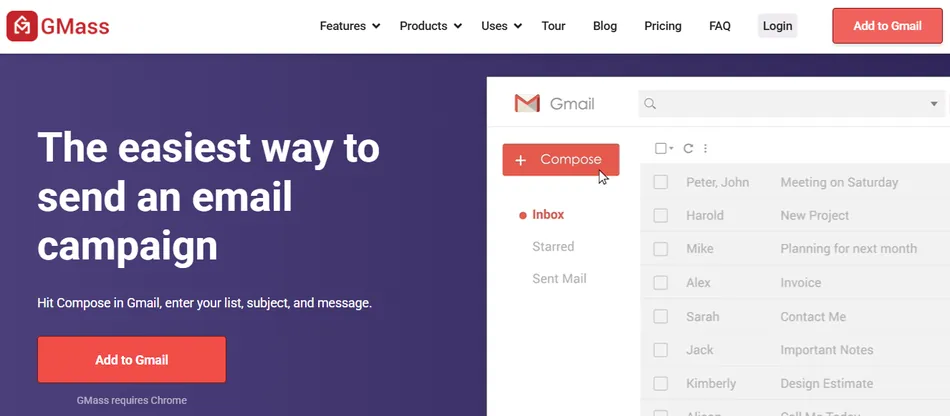
When senders need to exceed those limits, SMTP routing introduces a separate usage-based charge. Annual billing discounts range from roughly 17% to 30% depending on the tier. Here’s what you get at each price point.
GMass Free Plan: No Credit Card Required
| Feature | Details |
|---|---|
| Price | $0/month |
| Credit Card | Not required |
| Install Time | 30 seconds |
| Core Features | Mail merge, basic campaigns |
| Support | Self-service knowledge base |
GMass offers a free plan that lets you install the Chrome extension and start sending without payment information. The free tier gives you access to the core Gmail compose workflow, so you can test mail merge, personalization, and basic campaign features before committing to a paid plan.
| Free Plan Pros | Free Plan Cons |
|---|---|
| ✅ No credit card required | ❌ Limited sending capacity |
| ✅ 30-second install | ❌ GMass branding on outgoing emails |
| ✅ Full Gmail-native experience | ❌ Restricted feature access |
| ✅ Good for testing the workflow | ❌ Not viable for real campaigns |
The Bottom Line 👉 The free plan works for testing whether GMass’s Gmail-native approach fits your workflow, but you’ll need a paid plan for any real sending.
GMass Standard Plan: $29.95/month
| Feature | Monthly | Annual |
|---|---|---|
| Price | $29.95/month | $20.75/month ($249/year) |
| Contacts | Unlimited | Unlimited |
| Campaigns | Unlimited | Unlimited |
| Email Verification | Free, included | Free, included |
| Follow-up Sequences | Included | Included |
The Standard plan is GMass’s entry point for production use. It removes the free plan’s branding and restrictions, unlocking mail merge personalization, unlimited contacts and campaigns, free email address verification, custom SSL tracking links, Spam Solver, sequences and follow-ups, API access plus Zapier, A/B testing, triggered emails, and inbox rotation via MultiSend.
At $29.95/month (or $20.75/month billed annually), it’s among the lower-priced email sending platforms available.
| Standard Plan Pros | Standard Plan Cons |
|---|---|
| ✅ Low entry price for full functionality | ❌ Gmail/Chrome-only platform |
| ✅ Unlimited contacts and campaigns | ❌ Volume capped by Gmail’s daily limits |
| ✅ Free email verification included | ❌ No visual drag-and-drop email builder |
| ✅ 30% savings with annual billing | ❌ Email-only support, no phone or chat |
The Bottom Line 👉 Standard is the right plan for solo senders running cold outreach or email marketing within Gmail’s daily limits. The annual rate of $20.75/month keeps it affordable for the category.
GMass Premium Plan: $39.95/month
| Feature | Monthly | Annual |
|---|---|---|
| Price | $39.95/month | $29.08/month ($349/year) |
| Contacts | Unlimited | Unlimited |
| Campaigns | Unlimited | Unlimited |
| All Standard Features | Included | Included |
The Premium plan sits $10/month above Standard and includes all the same core features with additional capabilities. At $39.95/month (or $29.08/month annually), the Premium tier targets users who need more than Standard but don’t require the full Professional package. Annual savings bring the cost to under $30/month, which remains competitive against most dedicated cold email or email marketing platforms.
| Premium Plan Pros | Premium Plan Cons |
|---|---|
| ✅ All Standard features included | ❌ $10/month premium over Standard |
| ✅ Good middle ground between tiers | ❌ Still constrained by Gmail’s daily limits |
| ✅ Annual billing drops to $29.08/month | ❌ Same support tier as Standard |
| ✅ Unlimited contacts and campaigns | ❌ No native CRM integrations |
The Bottom Line 👉 Premium makes sense for senders who’ve outgrown the Standard plan’s feature set and want a mid-tier option without jumping to Professional’s price.
GMass Professional Plan: $59.95/month
| Feature | Monthly | Annual |
|---|---|---|
| Price | $59.95/month | $49.92/month ($599/year) |
| Contacts | Unlimited | Unlimited |
| Campaigns | Unlimited | Unlimited |
| All Premium Features | Included | Included |
The Professional plan is GMass’s top individual tier. It includes every feature GMass offers for individual users: triggered emails that fire in real time when a prospect opens or clicks, deliverability tools, and the full personalization and automation suite. At $59.95/month (or $49.92/month annually), it’s priced below most dedicated cold email platforms that charge $100+/month for comparable features.
| Professional Plan Pros | Professional Plan Cons |
|---|---|
| ✅ Complete feature set | ❌ Double the Standard price |
| ✅ Triggered emails for real-time engagement | ❌ Still Gmail/Chrome-only |
| ✅ Annual billing saves ~17% | ❌ No dedicated account manager |
| ✅ Full API access | ❌ SMTP costs still apply separately |
The Bottom Line 👉 Professional is for individual power users who rely on GMass’s full feature set daily. The $599/year annual rate holds up well for its category, but solo senders with simpler needs can save $20–$30/month on lower tiers.
GMass Team Plans: $22–$35/user/month
Monthly Billing:
| Team Size | Per User/Month | Monthly Total |
|---|---|---|
| 5 users | $35 | $175 |
| 10 users | $29.50 | $295 |
| 25 users | $29 | $725 |
| 50 users | $27 | $1,350 |
| 100 users | $22 | $2,200 |
Annual Billing:
| Team Size | Per User/Month | Annual Total |
|---|---|---|
| 5 users | $29.17 | $1,750 |
| 10 users | $24.58 | $2,950 |
| 25 users | $24.17 | $7,250 |
| 50 users | $22.50 | $13,500 |
| 100 users | $18.33 | $22,000 |
Team plans are feature-equivalent to the individual Professional plan and include high-priority support, team member management from the dashboard, cross-team campaign visibility, global unsubscribe and bounce list sharing, additional dashboard login roles, and template sharing.
The per-seat rate drops as team size increases, with the 100-user annual plan reaching $18.33/user/month (roughly 39% less than the individual Professional plan).
| Team Plans Pros | Team Plans Cons |
|---|---|
| ✅ All Professional features for every seat | ❌ Per-seat overages if you exceed your plan size |
| ✅ Volume discount at larger team sizes | ❌ Cannot downgrade from Team to Individual via dashboard |
| ✅ High-priority support included | ❌ Caps at 100 users |
| ✅ Global unsubscribe and bounce list sharing | ❌ Each seat still bound by Gmail’s daily limits |
The Bottom Line 👉 Team plans deliver value for organizations of 10+ people, where the per-seat cost drops below the individual Standard plan’s rate. The 5-user team at $35/user/month is harder to justify unless you need the team management features specifically.
Where GMass’s Pricing Falls Short
GMass’s flat-rate pricing is simple compared to usage-based email platforms, but three cost areas deserve attention before you commit:
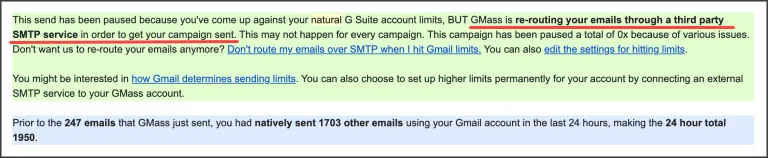
SMTP Overage Charges Add a Variable Cost Layer
- Gmail caps daily sends at 500 for free Gmail and 2,000 for Google Workspace. Exceeding those limits requires routing through SMTP.
- SMTP-routed emails get the first 10,000 per billing period free, then cost $5 per 10,000 additional emails ($0.50 per 1,000).
- If you’re sending 50,000+ emails/month through SMTP, these charges add $20+ on top of your subscription, making the “unlimited emails” promise conditional.
Source: GMass Routed to SMTP
Team Plan Overages Penalize Growth
- Adding users beyond your licensed team size triggers an overage rate: $38/user/month on the 5-user plan, dropping to $24/user/month on the 100-user plan.
- PayPal subscribers must manage plan changes inside PayPal directly rather than through the GMass dashboard.
Gmail/Google Workspace Costs Are External
- GMass runs inside your Gmail account but doesn’t include one. Users on free @gmail.com accounts face a 500-email daily cap. Upgrading to Google Workspace (starting around $7/user/month) raises that to 2,000/day but adds a separate line item to your total cost.
- Third-party SMTP services (SendGrid, Mailgun, Amazon SES) carry their own costs on top of both GMass and Google Workspace subscriptions.
If any of these are deal-breakers for your workflow, several alternatives in the same category may be worth considering.
GMass Free Plan: Is It Genuinely Usable?
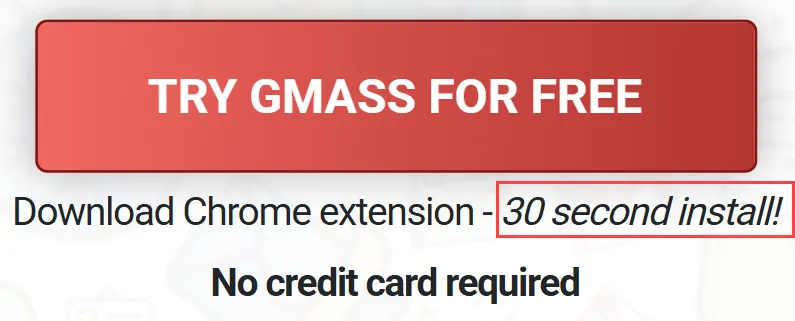
GMass’s free plan is available without a credit card and installs in 30 seconds from the Chrome Web Store. It gives you access to GMass’s Gmail-native interface so you can test the compose workflow, connect a Google Sheet, and see how mail merge fields render in real emails.
Source: GMass Free Plan
The free plan’s limitations make it a testing tool, not a production tool. Outgoing emails carry GMass branding, and sending capacity is restricted. It answers one question: does the Gmail-native approach fit how I work? If yes, the Standard plan at $29.95/month (or $20.75/month annually) is where real sending begins.
Compared to competitors offering time-limited trials (14 or 30 days), GMass’s free plan has no expiration, so you can test at your own pace without a deadline pressuring you into a purchase.
GMass Pricing for Different Team Sizes
Solo operators ($29.95–$59.95/month): A single user on the Standard plan at $29.95/month gets unlimited contacts, campaigns, and follow-up sequences.
For solo SDRs, freelancers, or small business owners running cold outreach from Gmail, this is a low-cost entry point in the email outreach category. Annual billing drops it to $20.75/month. If you need triggered emails or the full feature set, Professional at $59.95/month ($49.92 annually) covers everything without needing a team plan.
Small teams of 5–10 ($175–$295/month): The 5-user team plan at $35/user/month ($175 total) costs more per seat than the individual Professional plan at $59.95. The value comes from team-specific features: shared unsubscribe/bounce lists, centralized member management, and template sharing.
At 10 users, the per-seat cost drops to $29.50/month ($295 total), which starts delivering real savings over individual plans. Annual billing for 10 users brings it to $24.58/user/month ($2,950/year).
Mid-size teams of 25–50 ($725–$1,350/month): At 25 users and above, the per-seat rate becomes competitive. The 25-user plan at $29/user/month ($725 total) costs less than half what 25 individual Professional subscriptions would.
The 50-user plan at $27/user/month ($1,350 total) provides high-priority support and full Professional features across the team. Annual billing reduces the 50-user plan to $22.50/user/month ($13,500/year).
Large teams of 100 ($2,200/month): The 100-user plan at $22/user/month is GMass’s best per-seat rate, dropping to $18.33/user/month with annual billing ($22,000/year). This is the ceiling. GMass does not offer plans above 100 users, so larger organizations would need to contact GMass directly or manage multiple team subscriptions.
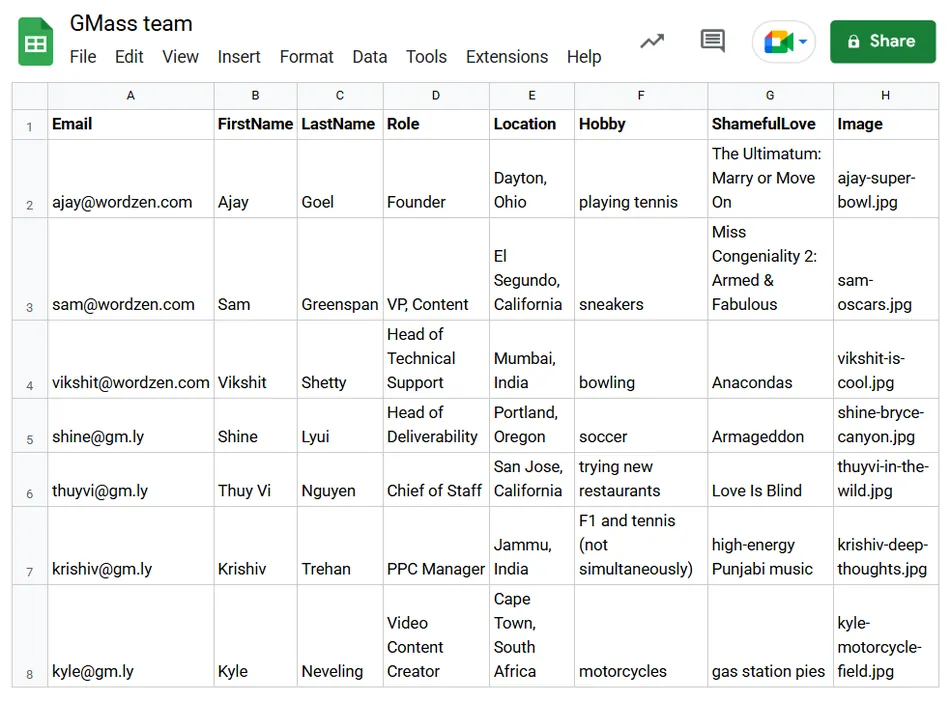
Enterprise: GMass does not publish an enterprise tier with custom pricing. The team of 7 people and the product’s design as a Gmail extension suggest that large enterprise deployments are outside GMass’s core market. Organizations needing 500+ seats, SSO, or enterprise procurement support would likely be better served by a dedicated enterprise email platform.
Source: GMass 7-People Team
Is GMass Worth the Price?
The answer depends on where you sit as a buyer.
For solo users running cold outreach or email marketing from Gmail, GMass is hard to beat on price. The Standard plan at $29.95/month ($20.75 annually) includes unlimited contacts, campaigns, follow-up sequences, A/B testing, email verification, and deliverability tools.
Competing cold email platforms like Instantly, Lemlist, and Smartlead charge $30–$100+/month for comparable features and often require separate subscriptions for email verification or deliverability monitoring. GMass bundles these into the base price.
For small teams (5–25 people), the math works once you hit 10+ seats. The 10-user team plan at $29.50/user/month includes every Professional feature plus team management, shared suppression lists, and high-priority support. At that per-seat rate, you pay less than an individual Standard subscription for full Professional access.
For users who regularly exceed Gmail’s sending limits, factor in SMTP costs. The “unlimited emails” positioning is accurate in that GMass doesn’t meter emails on its end, but Gmail’s 500/day and 2,000/day caps are real. Once you route through SMTP, the first 10,000 emails per billing period are free, then you pay $5 per 10,000.
A sender pushing 100,000 SMTP emails/month would add $45 to their subscription. That still compares favorably to most dedicated cold email platforms, but it’s not $29.95 flat.
The Gmail/Chrome requirement is the biggest constraint. If your team splits between Gmail and Outlook, GMass only serves part of the team. If your workflow depends on native Salesforce or HubSpot integration, you’ll need Zapier or Google Sheets workarounds. And if you need a polished visual email builder, GMass’s AI Template Builder generates HTML but isn’t a drag-and-drop designer.
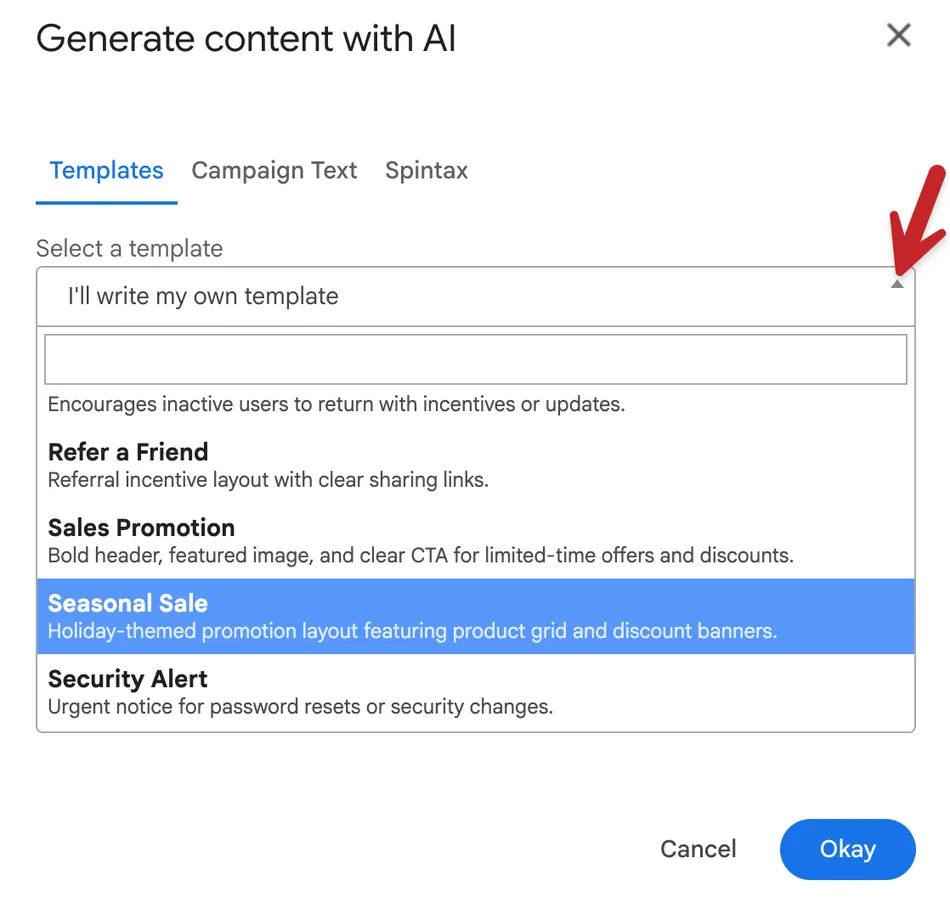
Source: GMass AI Template Builder
Price history suggests stability. The January 2026 price increase was only the third in GMass’s 10-year history. That track record suggests you won’t face aggressive price hikes every year, which matters for budgeting.
GMass Alternatives
If GMass’s Gmail-only requirement, SMTP overage structure, or missing CRM integrations don’t fit your situation, several platforms cover overlapping territory with different strengths:
- Instantly. A dedicated cold email platform built for high-volume outbound. Instantly manages its own sending infrastructure with built-in warmup and inbox rotation, sidestepping Gmail’s daily limits. A better fit for cold email specialists sending at scale who don’t also need email marketing. Pricing is higher per seat but includes sending infrastructure costs that GMass charges separately through SMTP.
- Lemlist. Combines cold outreach with multichannel sequences (email, LinkedIn, phone). Lemlist includes a visual sequence builder, built-in lead database, and CRM integrations that GMass lacks natively. A stronger fit for sales teams running coordinated outbound across channels, though at a higher price point.
- Mailchimp. The standard choice for email marketing and newsletters, with a visual drag-and-drop builder, landing pages, and audience management. A better fit for marketers focused on opt-in email campaigns who need design flexibility, but not built for cold outreach. Mailchimp charges based on contact count.
- Yet Another Mail Merge (YAMM). A lighter, cheaper Gmail mail merge tool for users who need basic personalized mass email without cold email features. YAMM lives inside Google Sheets rather than Gmail and costs less than GMass, but lacks follow-up sequences, deliverability tools, and GMass’s feature depth.
- Smartlead. Designed for agencies and high-volume cold emailers, with unlimited mailbox connections, built-in warmup, and client workspace separation. A better fit for agencies managing multiple clients at scale, with flat-rate pricing that includes sending infrastructure. Less suited for email marketing or newsletter use cases.
Each is worth a closer look depending on whether you prioritize Gmail-native simplicity, sending infrastructure, multichannel outreach, or visual email design.
Final Verdict: GMass Pricing
GMass is a flat-rate, Gmail-native email platform that bundles cold email, email marketing, and mail merge into a single Chrome extension at a low price point.
With individual plans from $29.95 to $59.95/month and team plans scaling from $22 to $35/user/month, it lets Gmail users run personalized campaigns with automated follow-ups, deliverability testing, and email verification without leaving their inbox.
The pricing model works best for solo operators and small teams already in the Google ecosystem, with predictable sending volumes that stay within or near Gmail’s daily limits.
Is GMass worth it? If you live in Gmail, send campaigns to hundreds or low thousands of contacts, and want one tool for both cold outreach and marketing emails, GMass’s Standard plan at $29.95/month is hard to match on cost. If you’re a team of 10+ running outbound from Google Workspace accounts, the team plan’s per-seat pricing competes with tools that charge three to four times as much.
But if you need to send far beyond Gmail’s daily caps, require native CRM integrations, or work outside the Chrome/Gmail ecosystem, the workarounds add enough friction and cost that a platform built for your specific use case will serve you better.
GMass Pricing FAQ
Is GMass free to use?
GMass offers a free plan that requires no credit card and installs in 30 seconds from the Chrome Web Store. The free tier provides access to the core Gmail-native workflow for testing, but outgoing emails carry GMass branding and sending capacity is limited. Paid plans start at $29.95/month for the Standard tier.
How much does GMass cost per month?
Individual plans range from $29.95/month (Standard) to $59.95/month (Professional) on monthly billing. Annual billing reduces these to $20.75/month and $49.92/month respectively. Team plans range from $22 to $35 per user per month depending on team size, with further discounts on annual billing. The 100-user annual plan is the lowest at $18.33/user/month.
Does GMass offer annual billing discounts?
Yes. Annual billing saves roughly 17% to 30% depending on the plan. The Standard plan drops from $29.95/month to $20.75/month ($249/year). The Premium plan drops from $39.95 to $29.08/month ($349/year). The Professional plan drops from $59.95 to $49.92/month ($599/year). Team plans see similar reductions on annual commitments.
Are there hidden fees or overage charges with GMass?
The main additional cost is SMTP overage charges. When you exceed Gmail’s daily sending limits and route emails through SMTP, the first 10,000 emails per billing period are free, then you pay $5 per 10,000 additional emails.
Team plans also charge per-seat overages if you add users beyond your licensed team size, ranging from $24 to $38 per additional user per month depending on your plan. Google Workspace subscription costs and any third-party SMTP service fees are separate expenses not included in GMass pricing.
Can I send unlimited emails with GMass?
GMass does not meter or cap your email volume on any paid plan. However, Gmail imposes daily sending limits of 500 emails for free Gmail accounts and 2,000 for Google Workspace accounts.
To exceed those limits, you need SMTP routing through GMass’s server, a third-party SMTP service, or MultiSend inbox rotation across multiple Gmail accounts. SMTP routing beyond the first 10,000 emails per billing period costs $5 per 10,000 additional emails.
Does GMass work with Outlook or other email clients?
No. GMass is a Chrome extension for Gmail and Google Workspace only. It does not work with Outlook, Apple Mail, Yahoo Mail, or any other email client. It also requires Chrome specifically, so users on Firefox, Safari, or other browsers cannot use it.
Does GMass offer refunds?
GMass does not prominently detail its refund policy in public documentation. Subscriptions auto-renew monthly or annually until canceled. You must cancel through the GMass dashboard’s cancellation process. GMass treats chargebacks seriously and may impose account bans or reinstatement fees for disputed charges it determines were valid.
What payment methods does GMass accept?
GMass accepts major credit cards and PayPal. PayPal subscribers should note that plan changes (upgrades, downgrades, billing frequency changes) must be managed inside PayPal directly rather than through the GMass dashboard, which adds friction to account management.