Cold email remains one of the most cost-effective ways for startups to generate pipeline. Paid ads burn through runway. Content marketing takes months to compound. A well-run cold email operation can put meetings on the calendar within days.
But the tooling landscape has exploded. Dozens of cold email platforms compete for your budget, each claiming it will fill your pipeline. For a startup founder or early sales hire, sorting through the noise is a project in itself: some tools optimize for sending volume, others for data quality, others for multichannel outreach, and a few try to do everything at once.
The real question isn’t which tool has the most features. It’s which one fits the way your startup operates right now, with the budget you have and the team you’re working with.
We researched and tested the leading cold email platforms and narrowed the field to nine that serve distinct startup needs:
- Launching campaigns fast with minimal setup,
- Scaling outbound volume without deliverability problems,
- Consolidating data, outreach, and CRM into one platform,
- Getting the most value on a tight budget,
- Standing out with creative multichannel outreach,
- Prioritizing inbox placement over feature count,
- Running structured multichannel sales processes,
- Starting outbound at zero cost,
- And using AI to write unique emails at scale.
Let’s look at how these platforms compare.
Not sure which cold email tool fits your startup? Keep reading for a breakdown of each platform, including pricing, key features, and the use cases where each one excels.
What Is Cold Email Software?
Cold email software refers to platforms that help sales teams and founders send personalized outbound emails to prospects they haven’t contacted before. These tools handle the logistics that make cold outreach viable at scale: automated follow-up sequences, sender reputation management (warm-up), email verification, inbox rotation across multiple sending accounts, and reply tracking.
Most modern cold email platforms also bundle prospecting databases, so you can find leads and launch campaigns from one interface rather than paying separately for data and sending.
Best Cold Email Software for Startups at a Glance
 | Instantly Best for the fastest path from zero to live cold email campaigns. Unlimited email accounts on every plan with the largest warm-up network in the category. |
|---|---|
 | Smartlead Best for scaling outbound volume without deliverability collapse. Dedicated IP pools, ESP matching, and infrastructure built for high-volume sending. |
 | Apollo Best for lean startup teams that want data, outreach, and CRM in one platform. 270M+ contact database with built-in sequencing and deal management. |
 | Saleshandy Best for cost-conscious startups that need the most value per dollar. Starting at $25/month with unlimited email accounts and an 800M+ lead database. |
 | lemlist Best for creative multichannel outreach that stands out. Dynamic image personalization, LinkedIn automation, and behavioral sequence branching. |
 | Woodpecker Best for founders who want reliability over features. Deliverability-first design with automatic safeguards and a simple campaign editor. |
 | Reply.io Best for structured multichannel sales engagement. Coordinated outreach across email, LinkedIn, SMS, WhatsApp, and calls in conditional workflows. |
 | Snov.io Best free-to-start cold email toolkit for bootstrapped founders. A functional free plan that includes lead finding, verification, and campaign sending. |
 | Salesforge Best for AI-native email personalization at scale. Per-contact AI-generated emails in 21+ languages, not template-based variable swaps. |
How to Choose the Best Cold Email Software for Your Startup
A short checklist to find the right fit:
- Deliverability first: If your emails land in spam, nothing else matters. Look for platforms with built-in warm-up, email verification, and sender rotation. These features protect your domain reputation as you scale.
- Match your budget to your stage: Pre-revenue? Start with a free tier. Early revenue with a small team? A $25-50/month plan with unlimited email accounts keeps costs predictable. Growing fast? Invest in deliverability infrastructure that won’t break at higher volumes.
- Data included vs. data separate: Some platforms bundle a prospecting database so you can find leads and send campaigns from one tool. Others assume you’ll bring your own list. Bundled data saves money and reduces friction, but standalone data providers sometimes offer deeper enrichment.
- Email-only vs. multichannel: If your prospects respond better to a combination of email, LinkedIn, and calls, choose a platform that coordinates those channels in one sequence. If email is your primary channel, a focused tool with strong deliverability may serve you better.
- Team scaling costs: Per-seat pricing punishes growing teams. Look for plans that charge based on volume (emails sent or contacts reached) rather than headcount, so adding a co-founder or first sales hire doesn’t double your bill.
- Ease of setup: As a startup founder, you don’t have weeks to learn a complex platform. Prioritize tools you can set up and launch within a day.
How We Picked These Platforms
We started with cold email tools recommended in startup communities, review sites, and by founders who run outbound. We evaluated each platform on four criteria:
- Ease of Use: How quickly can a non-technical founder set up and launch their first campaign?
- Deliverability: What safeguards does the platform offer to keep emails out of spam?
- Value for Money: What do you get at each price tier, and how do costs scale as your team grows?
- Feature Fit: Does the platform solve a specific startup problem well, rather than trying to do everything adequately?
We focused on platforms that serve different needs, so no matter your budget, team size, or outreach strategy, at least one option here should fit.
1. Instantly: Best for the Fastest Path From Zero to Live Campaigns
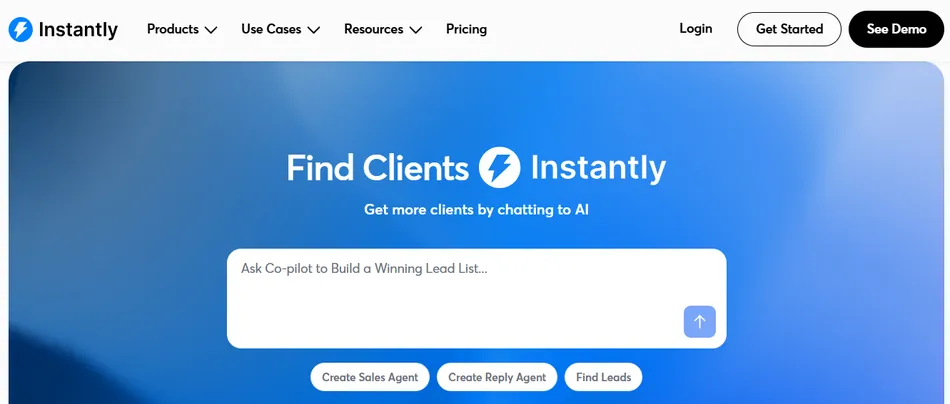
Starting cold email from scratch means facing a cold start problem: new sending accounts have no reputation, and emails from them land in spam. Most founders discover this after burning through their first prospect list.
Instantly was built by four former lead generation agency owners who faced this problem at scale. Their solution: a platform where unlimited email accounts and unlimited warm-up come included on every paid plan, paired with the largest automated warm-up network in the category.
| Instantly Pros | Instantly Cons |
|---|---|
| ✅ Unlimited email accounts on all paid plans | ❌ Modular pricing splits core features across separate subscriptions |
| ✅ 1M+ account warm-up network | ❌ Growth plan’s 1,000-contact lifetime cap is restrictive |
| ✅ Integrated Lead Finder with 450M+ contacts | ❌ Lead database not as deep as dedicated data providers |
| ✅ AI Sequence Writer for fast campaign creation | |
| ✅ Unibox consolidates replies from all accounts |
Instantly: Top 3 Unique Features
- Unlimited email accounts and warm-up on every plan, removing per-inbox scaling costs
- 1M+ real-account warm-up network with AI-generated conversations that build sender reputation automatically
- Unibox unified inbox with AI-powered sentiment analysis across all sending accounts
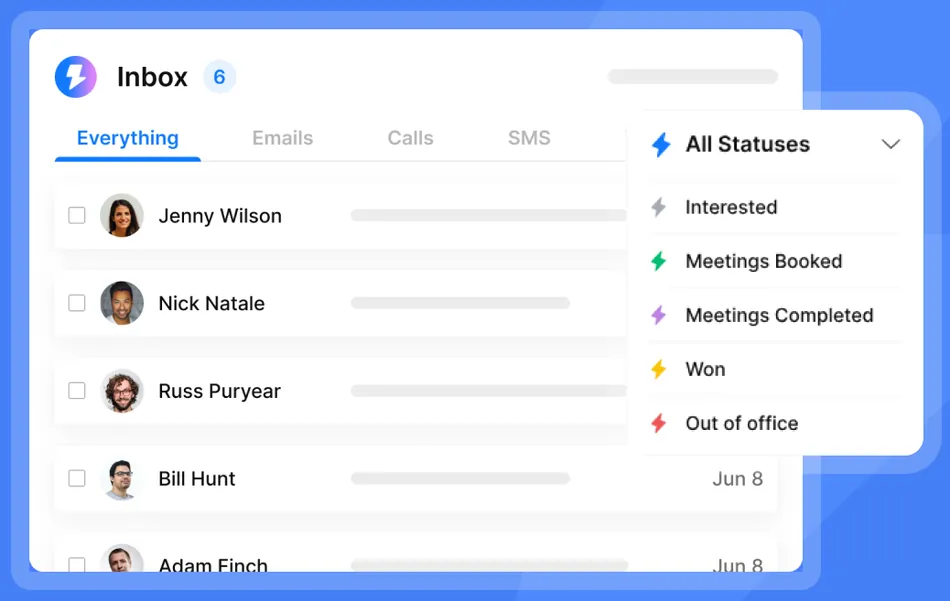
Source: Instantly Unibox
Instantly’s pricing model is the draw. Where competitors charge per sending account or per seat, Instantly lets a startup connect 5, 15, or 50 inboxes at no extra cost. Best practice is to send around 30 campaign emails plus 10 warm-up emails per account per day, so unlimited accounts mean the path to higher volume is adding inboxes, not adding budget.
The warm-up network runs on 1,000,000 real email accounts that exchange realistic emails with your new inboxes, opening warm-up emails and generating replies automatically. A Slow Ramp feature increases volume gradually to build reputation. Startups that want to skip warm-up can buy Pre-Warmed Accounts at $10/month per account, configured and ready to send from day one.
The platform also includes SuperSearch, a 450M+ contact database with waterfall enrichment from 5+ providers, so startups can find, verify, and push leads into campaigns without CSV exports or third-party verification tools.
Instantly: Pricing
Instantly uses a modular, multi-subscription architecture. Email Outreach, Credits (for lead database and AI features), and CRM are billed separately.
- Growth (Email Outreach): $47/month ($37.60/month annually). Unlimited email accounts and warm-up, 1,000 uploaded contacts, 5,000 emails/month.
- Hypergrowth: $97/month ($77.60/month annually). 25,000 uploaded contacts, 125,000 emails/month, plus subsequences and priority support.
- Light Speed: $358/month ($286.30/month annually). 100,000 uploaded contacts, 500,000 emails/month.
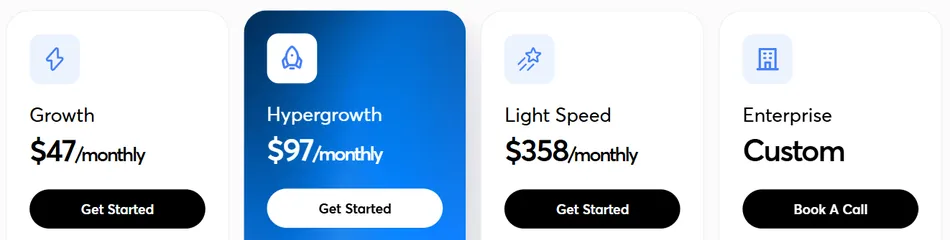
Note: the uploaded contacts limit on the Growth plan is a lifetime cap, not monthly, so most startups doing serious outreach will need the Hypergrowth tier. Adding Lead Finder credits (starting at $47/month for 1,500 credits) and optional CRM ($47/month) brings the realistic starting cost to $94-$141/month.
Use Instantly if:
- You need to launch cold email campaigns quickly with minimal setup
- You want to scale sending volume without per-inbox costs eating your runway
- You prefer a single platform for prospecting, verifying, and sending
- You’re a founder or small team running outbound solo and need the AI Copilot to extend your capacity
2. Smartlead: Best for Scaling Outbound Volume Without Deliverability Collapse
Most startups hit a wall when they scale cold email past a certain volume. The setup that worked for 500 emails a week starts triggering spam filters at 5,000. Shared sending infrastructure, inconsistent warm-up, and poor sender isolation all contribute to deliverability collapse.
Smartlead treats this as an engineering problem. Used by 100,000+ businesses, the platform’s SmartInfra architecture routes each customer’s campaigns through dedicated IP pools isolated in single-tenant clusters, so one bad sender can never damage your reputation.
| Smartlead Pros | Smartlead Cons |
|---|---|
| ✅ Dedicated IP infrastructure with zero cross-domain interference | ❌ Reporting has a documented 30-minute+ lag |
| ✅ Unlimited mailboxes and warm-up on all plans | ❌ No native Salesforce integration |
| ✅ ESP matching for Gmail-to-Gmail and Outlook-to-Outlook routing | ❌ Support quality varies on lower-tier plans |
| ✅ Built-in SmartProspect database with 300M+ profiles | |
| ✅ White-label workspaces for multi-brand outreach |
Smartlead: Top 3 Unique Features
- Ultra Premium Warmup: an invite-only warm-up pool with vetted senders and auto-pause/recovery
- ESP matching that routes emails to match the recipient’s provider for higher inbox placement
- SmartAgents: AI workflow automation that executes processes defined in plain language
The warm-up pool separates Smartlead from most competitors. Ultra Premium Warmup admits only vetted senders (no public sign-ups), and the engine simulates opens, reads, replies, and spam rescues with shuffling subject lines and send times.
If bounce spikes or spam flags appear, the system auto-pauses and self-recovers. AvoraGrowth’s founder called it “the best warmup pool he has tested” across 20+ active client accounts.
The Unified Master Inbox aggregates replies from every connected mailbox and campaign, with automatic sentiment classification and keyword-triggered workflows. Unlock Management uses tags and labels to filter their Master Inbox so positive replies surface fast.
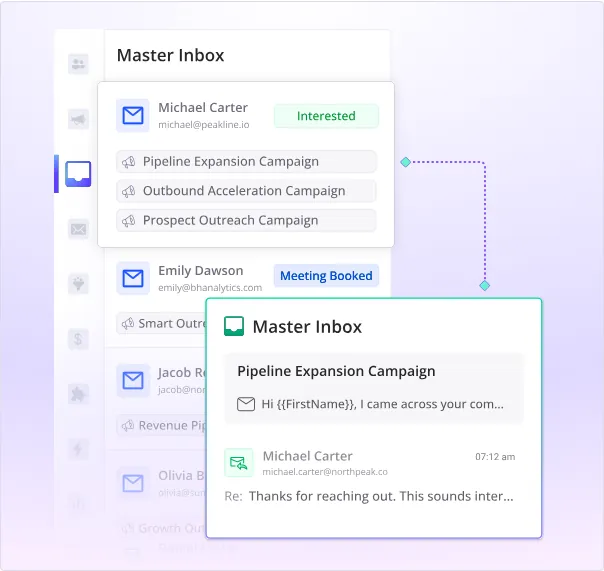
Source: Smartlead Unified Master Inbox
For built-in prospecting, SmartProspect provides access to 300M+ verified business profiles with three-source verification. It’s included free on Smart and Prime tiers, or available as a $59/month add-on on lower plans.
Smartlead: Pricing
All plans include unlimited email accounts and warm-up. No per-seat charges. Annual billing saves 17%.
- Base: $39/month ($32/month annually). 6,000 emails/month, 2,000 contacts.
- Pro: $94/month ($78/month annually). 90,000 emails/month, 30,000 contacts, CRM access.
- Smart: $174/month ($144/month annually). 150,000 emails/month, unlimited contacts, SmartProspect included.
- Prime: $379/month ($315/month annually). 500,000 emails/month, 3 SmartServers, dedicated manager.
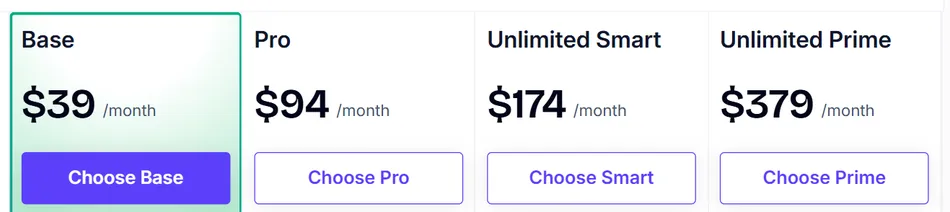
For most startups, the Pro tier at $94/month provides enough volume for serious outbound with CRM access. Startups needing built-in lead data should look at the Smart tier.
Use Smartlead if:
- You’re ready to scale past 10,000+ emails per month and need infrastructure that protects sender reputation as volume grows
- You want to consolidate sending, warm-up, lead data, and inbox management into fewer tools
- You’re running outreach across multiple products or brands and need isolated workspaces
- Your team is technical enough to use the REST API and webhook-based workflows
Explore Smartlead’s pricing and start a free trial.
3. Apollo: Best for Data, Outreach, and CRM in One Platform
Most startups piece together their outbound stack one tool at a time: a data provider here, an email sequencer there, a separate warm-up service, and eventually a CRM. Each tool brings its own subscription, learning curve, and integration headaches.
Apollo collapses that into one platform. It combines a 270M+ contact database, multichannel email sequencing, a built-in dialer, and a native CRM with Kanban-style deal boards in one workspace. A startup can go from defining their ICP to booking meetings without leaving a single tab.
| Apollo Pros | Apollo Cons |
|---|---|
| ✅ 270M+ contacts with intent data on all plans including free | ❌ Credits don’t roll over between billing cycles |
| ✅ Multichannel sequences (email, phone, LinkedIn, custom tasks) | ❌ Dialer is an add-on at $119-$149/month |
| ✅ Built-in CRM eliminates a separate subscription | ❌ “Unlimited” plan governed by Fair Use Policy caps |
| ✅ Free Starter plan with real outbound capability | |
| ✅ 50% startup discount for companies under 20 employees |
Apollo: Top 3 Unique Features
- 270M+ contact database with 65+ data attributes and buying intent across 1,600+ topics on all plans
- AI email personalization that generates copy from company news and matches your writing tone
- Workflow Engine with visual drag-and-drop automation and multi-branch conditional logic
Apollo’s database is the main draw. Sourced from over 2 million data contributors, public web crawling, and 230 million records processed monthly from third-party partners, it claims a 97% email accuracy rate backed by a seven-step verification process.
The buying intent data (powered by a LeadSift/Foundry partnership) lets startups identify who’s researching their category and sequence them immediately, all in the same tool.
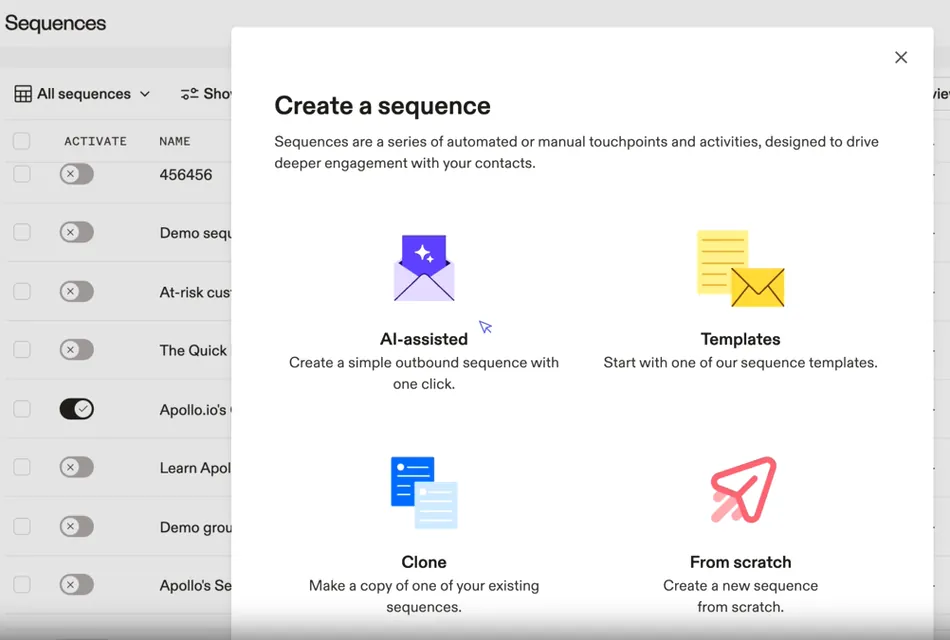
Apollo’s Sequences mix automatic and manual emails, phone calls, LinkedIn actions, and custom tasks into multi-step workflows. A/B testing on email steps lets you test subject lines and CTAs systematically. Workflow Engine users report booking 2.5x more meetings.
Source: Apollo Sequences
The platform also includes a built-in deliverability suite with automatic mailbox warm-up, real-time deliverability scoring, and the ability to purchase and authenticate sending domains within Apollo.
Apollo: Pricing
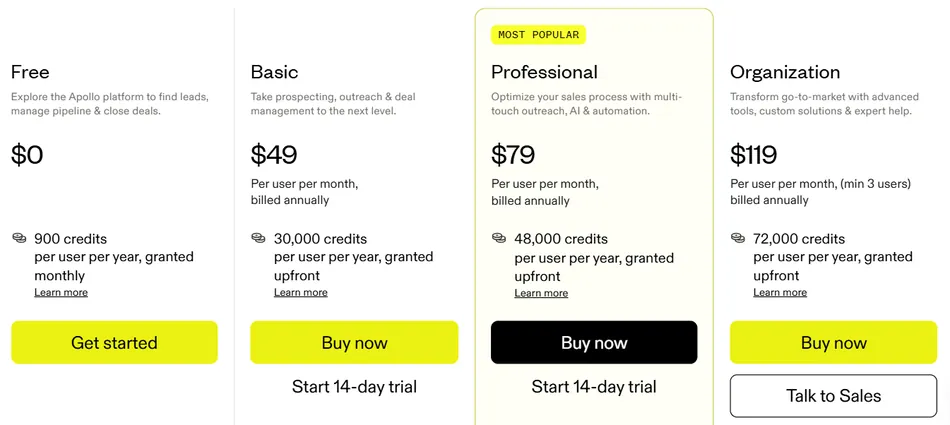
- Free (Starter): $0 forever. 75 credits/month, 2 active sequences, Chrome Extension, intent data.
- Basic: $49/seat/month (annual). 30,000 credits/year, Microsoft Office support.
- Professional: $79/seat/month (annual). 48,000 credits/year, unlimited sequences, CRM enrichment.
- Organization: $119/seat/month (annual only). 72,000 credits/year, SSO, advanced API, minimum 3 seats.
The Apollo for Startups program offers 50% off for one year on Basic or Professional plans (up to 5 seats) for companies with fewer than 20 employees. One case study shows a customer cutting from $18,000 for Outreach plus $15,000 for ZoomInfo down to $12,000 total by migrating to Apollo.
Use Apollo if:
- You want one platform instead of five, combining data, sequencing, warm-up, and CRM
- You’re a small team without dedicated sales ops and need built-in AI personalization and workflow templates
- You need to start outbound before you have budget, using the free Starter plan
- Data prospecting is core to your workflow and you want intent signals and technographic filters in the same place you build campaigns
4. Saleshandy: Best for Maximum Value per Dollar
For pre-revenue startups and solo founders watching every dollar of burn, the math on cold email tools adds up fast. A sending platform plus a data provider plus a warm-up service can hit $200-$300/month before you’ve sent a single campaign.
Saleshandy attacks this with a $25/month starting price on annual billing that includes unlimited connected email accounts and no per-inbox surcharges. A startup connecting ten inboxes across five domains pays $25/month total; the same setup on a per-inbox platform could cost $100-$250/month.
| Saleshandy Pros | Saleshandy Cons |
|---|---|
| ✅ Lowest entry price among dedicated cold email tools | ❌ Starter plan lacks native CRM integrations (requires $69/month Pro) |
| ✅ Unlimited email accounts on every plan | ❌ No native LinkedIn automation in sequences |
| ✅ 800M+ Lead Finder database built in | ❌ Limited AI credits on Starter plan (100, non-renewing) |
| ✅ SOC 2 Type II, ISO 27001, and GDPR compliant | |
| ✅ Inbox Radar pre-send placement testing |
Saleshandy: Top 3 Unique Features
- Inbox Radar pre-send placement testing across Gmail, Outlook, Yahoo, and Zoho
- Sequence Score system that evaluates campaign readiness across 17 factors before sending
- Unified Inbox with AI-powered reply categorization and Enhanced Reply Tracking
Beyond the price, Saleshandy’s layered deliverability stack prevents wasted spend. Email warm-up via TrulyInbox comes free on all plans. Sender Rotation distributes volume across connected accounts, and ESP Matching routes emails to match the prospect’s provider for better inbox placement.
The Lead Finder covers 800M+ contacts and 60M+ companies with 75+ filters, and an AI-powered natural language search translates plain-English descriptions into structured queries. You can push prospects into sequences with a single click.
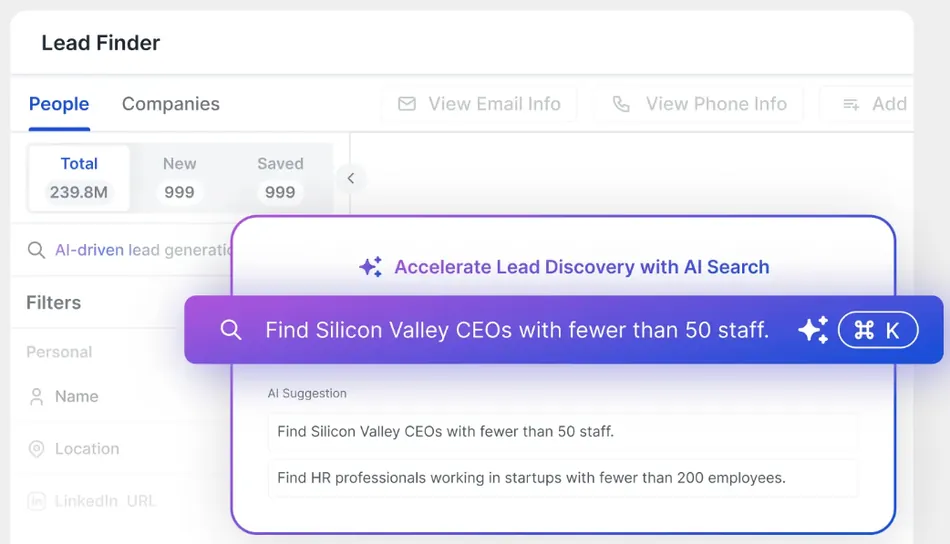
Source: Saleshandy Lead Finder
Saleshandy: Pricing
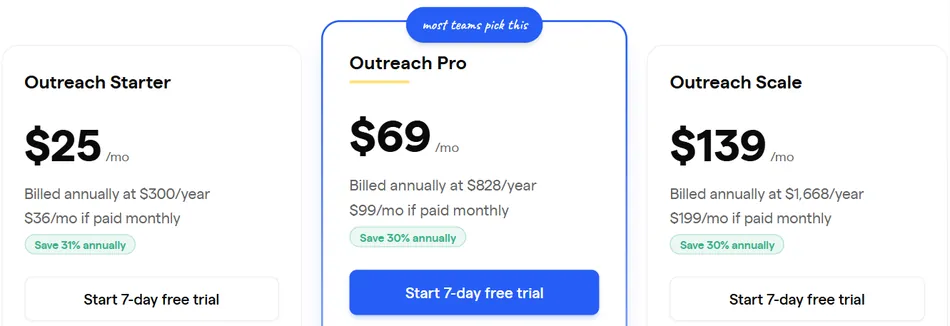
- Outreach Starter: $25/month (annual). 2,000 active prospects, 6,000 emails/month, unlimited email accounts, 7-day free trial.
- Outreach Pro: $69/month (annual). 30,000 prospects, 150,000 emails/month, CRM integrations, unlimited team members.
- Outreach Scale: $139/month (annual). 60,000 prospects, 240,000 emails/month, white-label solution, SSO.
Lead Finder plans are available separately starting at $49/month (annual) for 2,500 credits.
Use Saleshandy if:
- You need a complete outbound stack at the lowest possible monthly cost
- You want prospecting and sending in one tool to avoid separate subscriptions
- You’re a solo founder managing outreach across many inboxes and need replies organized in one place
- You need security credentials (SOC 2 Type II, ISO 27001) to sell to larger buyers
See Saleshandy’s full pricing and start a free trial.
5. lemlist: Best for Creative Multichannel Outreach That Stands Out
In crowded inboxes, volume alone doesn’t win. The startups that get replies are the ones whose outreach looks and feels different from everything else in the prospect’s inbox that day.
lemlist was launched in January 2018 as one of the first tools to make visual personalization at scale possible, and it remains the category leader for creative multichannel campaigns that combine email, LinkedIn, WhatsApp, and phone from one platform.
| lemlist Pros | lemlist Cons |
|---|---|
| ✅ Dynamic image personalization (unique in the category) | ❌ Email-only plan doesn’t include LinkedIn automation |
| ✅ True multichannel: email, LinkedIn, WhatsApp, phone | ❌ Not available for agency use (sending on behalf of clients is prohibited) |
| ✅ Lemwarm deliverability included free on all plans | ❌ Credit allotments reduced for newer accounts |
| ✅ Behavioral sequence branching based on prospect actions | |
| ✅ AI voice cloning for LinkedIn voice notes |
lemlist: Top 3 Unique Features
Custom image personalization that embeds each prospect’s name, logo, or website screenshot into email visuals
Five automated LinkedIn actions (profile visits, connections, messages, voice notes, feed engagement) with AI voice cloning
Advanced conditions that reroute contacts based on opens, clicks, LinkedIn accepts, and call completions
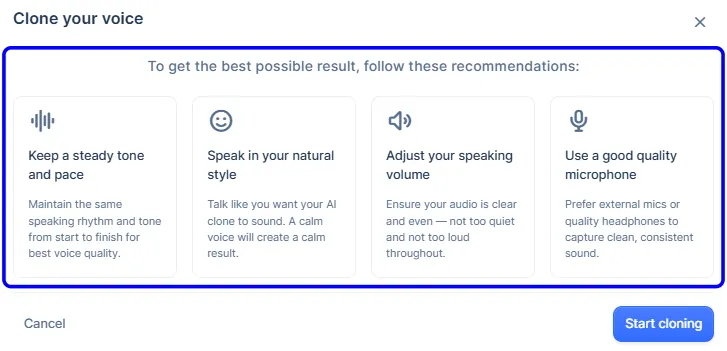
Source: lemlist AI Voice Cloning
lemlist’s image personalization layers static design elements with live variable overlays in an image template editor, so every recipient sees what looks like a custom visual. It extends to custom landing pages with embedded video and CTAs. For startups trying to cut through noise, a personalized image grabs attention in a way that plain-text personalization cannot.
Adding LinkedIn to sequences generates 2.5x more replies according to lemlist’s data, and the Unified Inbox centralizes every interaction across channels, reportedly speeding up multichannel management by 46%.
Lemwarm Essential comes free on all paid plans, backed by a warm-up network of 10,000 users across 20,000+ domains in 150+ countries. Spendesk reported a 96% deliverability rate after adoption.
lemlist: Pricing
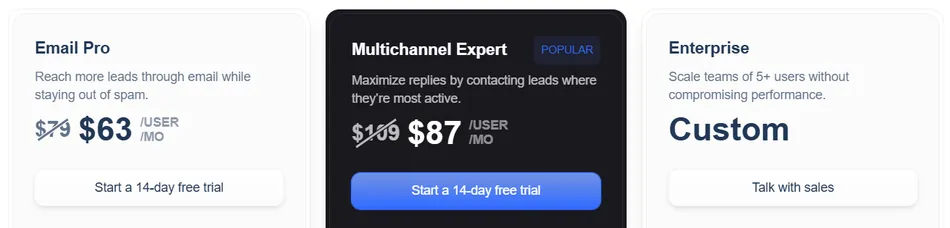
- Email Pro: $63/user/month (annual). Up to 3 sending addresses, 200 enrichment credits/month. Email-only; no LinkedIn or calling.
- Multichannel Expert: $87/user/month (annual). Up to 5 sending addresses, 400 credits/month. Adds LinkedIn automation, dialer, unified inbox.
- Enterprise: Custom pricing, minimum 5 seats, annual commitment.
A 14-day free trial with full Multichannel Expert access is available with no credit card required.
Use lemlist if:
- You want outreach that looks handcrafted at scale, with dynamic image personalization and AI-generated openers
- You need multichannel execution from one platform, not separate tools bolted together
- Deliverability is a top concern and you don’t want to pay for a separate warm-up tool
- Your team values ease of adoption (ElevenLabs’ GTM lead noted the sequence builder “has been built by people who really understand prospection”)
6. Woodpecker: Best for Founders Who Want Reliability Over Features
Not every startup needs a multichannel engagement suite with a built-in dialer and social selling dashboard. Some founders just need cold emails that land in the inbox, with a tool they can learn in an afternoon.
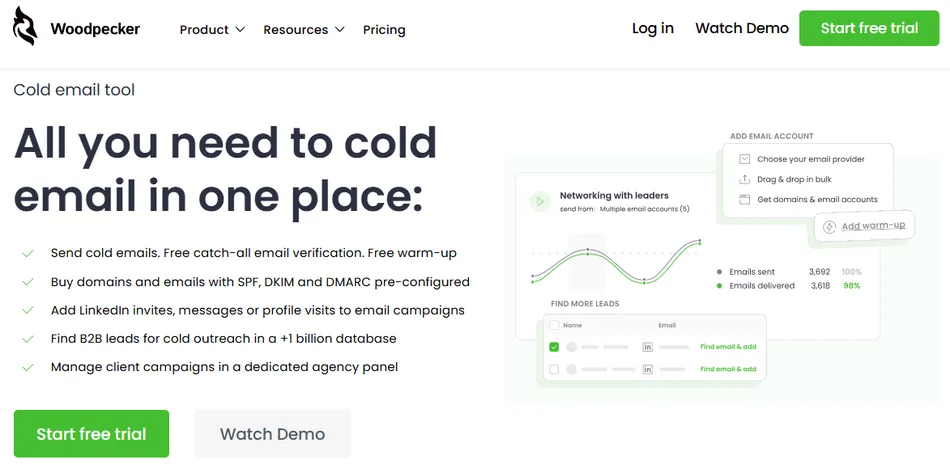
Woodpecker focuses its engineering on the mechanics of email sending: warm-up, verification, adaptive throttling, and inbox rotation. Deliverability guardrails run on autopilot, so founders new to cold outreach are less likely to burn their sending domains by accident.
| Woodpecker Pros | Woodpecker Cons |
|---|---|
| ✅ Adaptive Sending prevents provider-imposed blocks automatically | ❌ LinkedIn and Lead Finder are paid add-ons |
| ✅ Free email verification on every send via Bouncer | ❌ No AI personalization features |
| ✅ Unlimited team members and email accounts on all plans | ❌ Add-on costs stack up for multichannel use |
| ✅ Clean 3-step campaign editor | |
| ✅ Permanent free plan with 500 contacts/month |
Woodpecker: Top 3 Unique Features
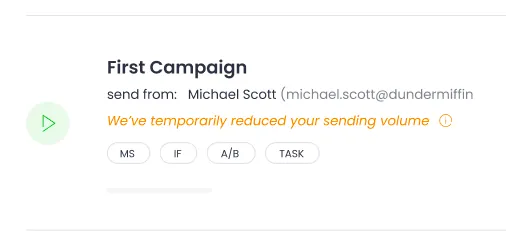
- Adaptive Sending that throttles volume when approaching provider limits, producing 2.4x fewer sending blocks and 59% lower block risk
- Free email verification powered by Bouncer that validates every address at send time
- Domain Check-up that verifies SPF and DKIM records when you connect an account
Source: Woodpecker Adaptive Sending
Adaptive Sending is the feature that matters most here. It runs in the background with no configuration, throttling by 50% for 24 hours or 10% for 10 days when you approach provider limits. In a comparative dataset, accounts with Adaptive Sending sent more total emails (15,910 vs. 14,440) because they avoided the multi-day blocks that plague unthrottled accounts.
The campaign editor uses a structured 3-step flow (Path, Prospects, Summary) that walks you through each stage. DevsData CEO Tom Potanski noted: “When we first started using Woodpecker, we had no problems understanding how it works.” Ecom Capital went from no outbound to 2 qualified calls per day in 21 days.
Woodpecker also ships with a Woodpecker Academy, templates, and guides, so first-time cold emailers can learn the fundamentals alongside the tool.
Woodpecker: Pricing
Woodpecker uses contact-based pricing with no per-seat fees. All plans include unlimited team members, unlimited email accounts, inbox rotation, Adaptive Sending, and email verification.
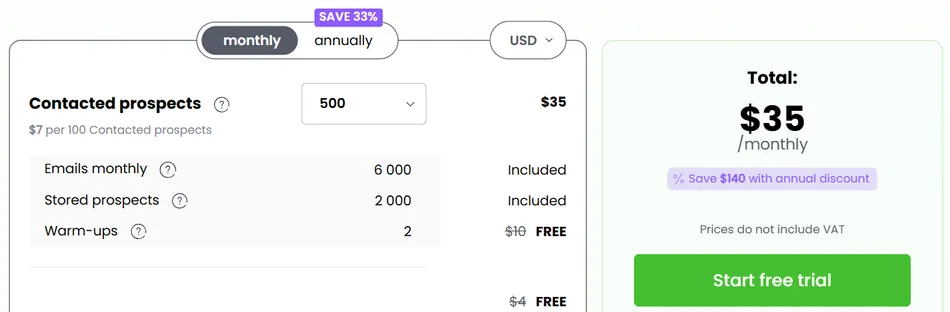
- Free Plan: $0/month (permanent). 500 contacted prospects/month, 6,000 emails, 2 warm-up slots.
- Paid Plans: Start at $35/month for 500 contacted prospects, scaling to 1,000,000+. Annual plans save 33%.
- Add-ons: LinkedIn automation at $29/month per account, extra warm-up at $5/month per account, Lead Finder starting at $28/month for 2,000 credits.
Use Woodpecker if:
- You’re a first-time cold emailer who needs automatic deliverability safeguards
- You want to start running campaigns this week with a simple, focused tool
- You care more about inbox placement than feature count
- Your team is small and you don’t want to pay per seat
- You’re already using HubSpot, Pipedrive, or Zoho CRM and want bidirectional sync
Start with Woodpecker’s free plan.
7. Reply.io: Best for Structured Multichannel Sales Engagement
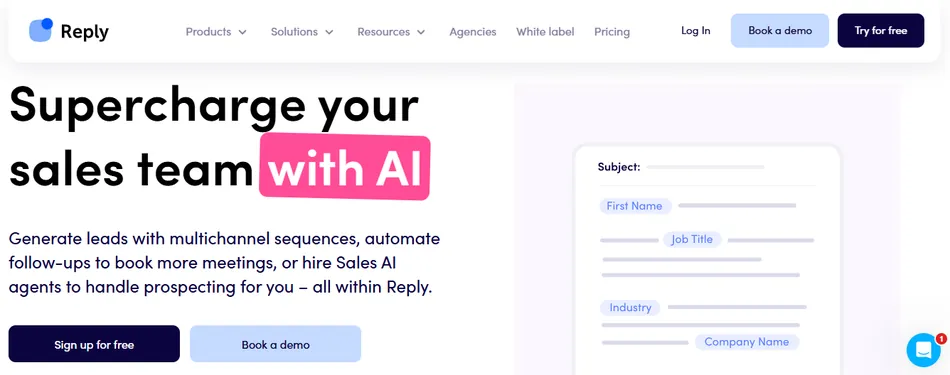
Some startups reach a point where email alone isn’t enough. Their prospects respond better to email, LinkedIn, and calls combined, but coordinating those channels across separate tools creates chaos.
Reply.io gives startups a structured way to orchestrate outbound across email, LinkedIn, SMS, WhatsApp, and calls from one sequence builder, with conditional sequences that route prospects based on their actions. The system checks every 10 minutes for prospect activity and moves them to the next step immediately.
| Reply.io Pros | Reply.io Cons |
|---|---|
| ✅ Multichannel orchestration in conditional sequences | ❌ LinkedIn ($69/account/month) and Calls ($29/account/month) are add-ons |
| ✅ Jason AI SDR handles prospecting, replies, and meeting booking | ❌ Mandatory 3-month minimum commitment on paid plans |
| ✅ 1B+ contact database with real-time web search | ❌ Steeper learning curve than simpler email tools |
| ✅ A/B testing with a single click | |
| ✅ AI engine choice: Claude, Gemini, Mistral, or OpenAI |
Reply.io: Top 3 Unique Features
- Multichannel sequences across email, LinkedIn, SMS, WhatsApp, and calls with real-time adaptive routing
- Jason AI SDR agent that handles lead sourcing, personalization, reply handling, and meeting booking around the clock
- B2B database with over 1 billion contacts that searches the web in real-time with verified emails below 3% bounce rate
Reply.io’s multichannel capability isn’t a bolt-on; it’s the core design. A prospect who opens an email but doesn’t reply can automatically receive a LinkedIn connection request, and if they accept but still don’t engage, a personalized SMS follows. The routing responds to actual behavior rather than predetermined time delays.
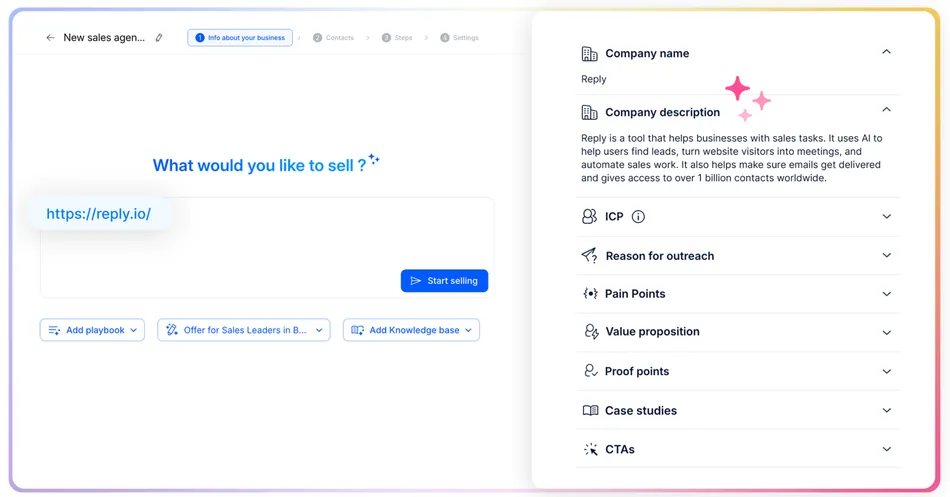
Jason AI works as a virtual SDR that analyzes your value proposition to define your ICP, finds leads, researches prospects, and builds personalized sequences. It handles multi-turn conversations including objection handling and meeting booking.
Source: Reply.io Jason AI
A three-level validation system checks brand voice and personalization accuracy before sending. Jason’s AI SDR plans start at $500/month, positioning it as an upgrade path for growing teams rather than a starting point.
The built-in database offers 16 filters including industry, location, headcount, technologies, and seniority, plus hiring intent and technographic signals. The Findy Chrome extension lets reps prospect from LinkedIn profiles and enroll contacts into sequences with a click.
Reply.io: Pricing
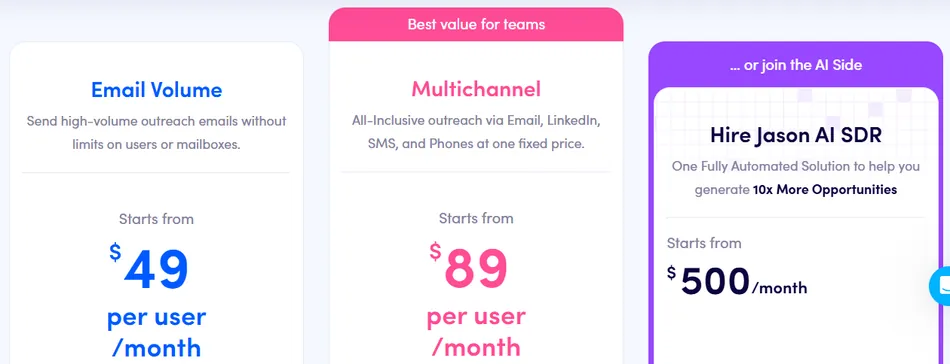
- Free Plan: $0/month. AI sequence generator, Chrome extension, 200 data credits/month. No automated sending.
- Email Volume: Starting at $49/user/month (annual). Email-only, 1,000 active contacts, unlimited sends.
- Multichannel: Starting at $89/user/month (annual). All channels, but LinkedIn adds $69/account/month and Calls/SMS adds $29/account/month.
- AI SDR (Jason): Starting at $500/month (annual). Unlimited users, autopilot and copilot modes.
All plans include a 14-day free trial. Note that Reply.io has a mandatory 3-month minimum commitment on paid plans.
Use Reply.io if:
- You need coordinated multichannel outreach where email, LinkedIn, and calls work together in one workflow
- You’re building repeatable outbound processes you plan to scale as the team grows
- You want an AI SDR to handle prospecting while you focus on closing
- You want prospecting data and outreach in one platform with real-time verification
8. Snov.io: Best Free-to-Start Toolkit for Bootstrapped Founders
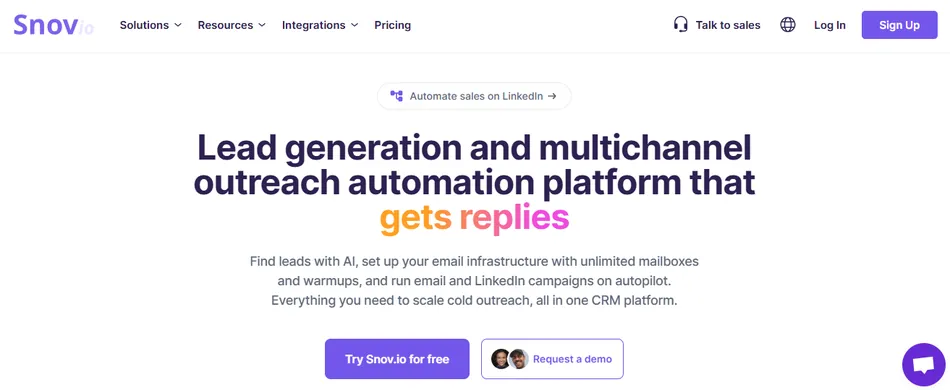
Most cold email tools offer “free tiers” that are demos in disguise: you can browse the interface, maybe verify a handful of emails, but you can’t run a full campaign. For a bootstrapped founder who needs to validate outbound before committing budget, that’s useless.
Snov.io is different. Its Trial plan includes email campaigns, the email verifier, the Sales CRM, deliverability checks, personalization, multiple sender accounts, and unlimited follow-ups at no cost, with no time limit and no credit card required.
The 50 credits per month and 100 recipients are modest, but they’re enough to test messaging against a small, targeted list before spending anything.
| Snov.io Pros | Snov.io Cons |
|---|---|
| ✅ Most functional free plan in the category (find, verify, send) | ❌ Free plan excludes A/B testing, bulk search, and integrations |
| ✅ 500M+ verified lead database | ❌ LinkedIn automation is a separate $69/month add-on |
| ✅ 7-tier email verification with 98% claimed accuracy | ❌ 50 credits/month on free plan limits testing scope |
| ✅ Unlimited team seats on all paid plans | |
| ✅ Chrome extensions for LinkedIn and web prospecting |
Snov.io: Top 3 Unique Features
- Free-forever plan with the complete find-verify-send workflow (no other tool on this list matches this)
- 7-tier verification process covering syntax, gibberish, domain, MX, SMTP, mailbox existence, and catch-all detection
- LI Prospect Finder (30,000+ users, 4.9 rating) and Email Finder extension (400,000+ users, 4.9 rating) for passive prospecting
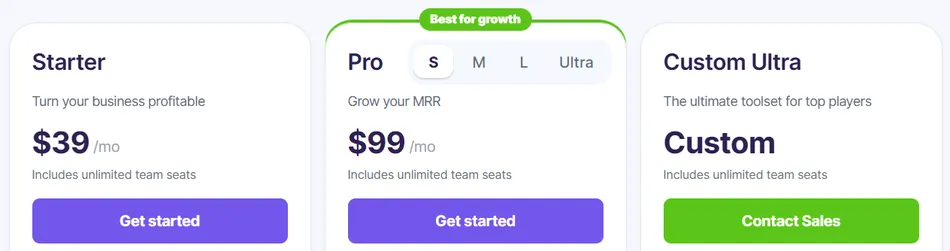
Snov.io’s paid plans use a hybrid credits-plus-recipients model rather than per-seat pricing. All paid plans include unlimited team seats, so adding a co-founder or first sales hire costs nothing extra. The Starter plan at $39/month ($29.25/month annually) covers the entire team with 1,000 credits and 5,000 recipients.
The verification layer matters especially for startups with limited domain infrastructure. Campaigns that exceed a 15% bounce rate are automatically paused to prevent reputation damage. Belkins achieved 99% deliverability while running 80,000+ leads per month, and PVcase saw open rates rise from 50% to 65% after switching.
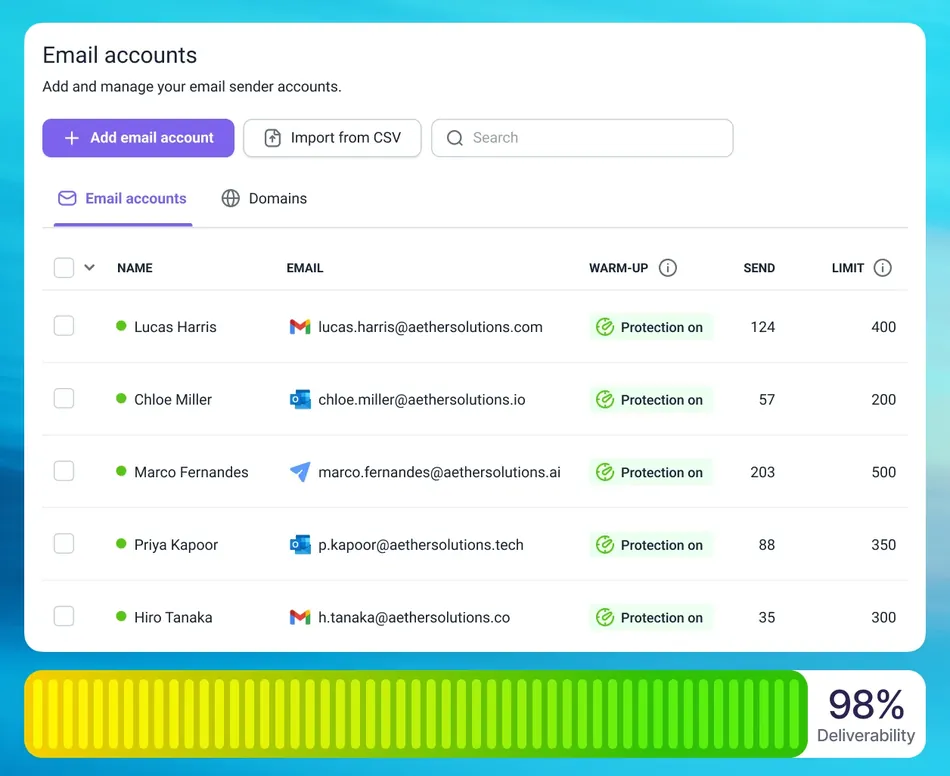
Built-in email warm-up offers Progressive and Steady strategies, and Pro plans include unlimited warm-up slots. A Done-for-You Email Setup managed service is available for startups that lack the technical knowledge to configure sending infrastructure.
Source: Snov.io Done-for-You
Snov.io: Pricing
- Trial (Free Forever): $0/month. 50 credits/month, 100 recipients, 1 warm-up slot.
- Starter: $39/month ($29.25/month annually). 1,000 credits, 5,000 recipients, 3 warm-up slots.
- Pro S: $99/month ($74.25/month annually). 5,000 credits, 25,000 recipients, unlimited warm-up, A/B testing, Spintax.
- Pro M / Pro L / Ultra / Custom Ultra: Scaled tiers from 20,000 to 500,000+ credits/month.
- LinkedIn Automation: $69/month per account ($62/month annually).
Use Snov.io if:
- You’re pre-revenue and need to start outbound at zero cost with the full find-verify-send workflow
- You want one platform that replaces a lead finder, email verifier, warm-up tool, and sender
- Your team is growing and you don’t want costs to scale with headcount
- Sender reputation protection is a priority and you need multiple layers of verification and monitoring
9. Salesforge: Best for AI-Native Email Personalization at Scale
Most cold email tools personalize by inserting dynamic fields (first name, company) into a shared template. The email structure stays identical across thousands of recipients, which makes it easy for email providers to flag as bulk mail.
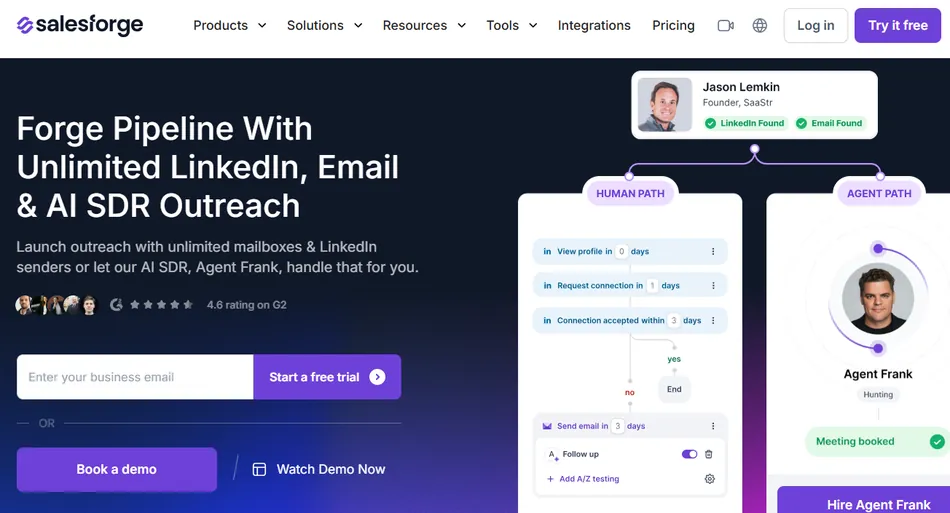
Salesforge takes a different approach. Each Personalization Credit generates a distinct AI-written email for every lead, combining the seller’s product context with the recipient’s LinkedIn profile data to produce a unique message. No two recipients receive structurally identical emails.
| Salesforge Pros | Salesforge Cons |
|---|---|
| ✅ Per-contact AI email generation (not template variable swaps) | ❌ Pro plan only includes 100 personalization credits/month |
| ✅ Unlimited mailboxes and warm-up on all plans | ❌ Agent Frank pricing requires a demo call (not publicly listed) |
| ✅ 21-language support with automatic language detection | ❌ Multiple Forge products require separate subscriptions |
| ✅ Agent Frank AI SDR for autonomous prospecting | |
| ✅ Spintax for additional variation on template sequences |
Salesforge: Top 3 Unique Features
Per-contact AI email generation using LinkedIn data and seller product profiles
Dynamic Languages that automatically match each recipient’s language from a single campaign across 21 languages
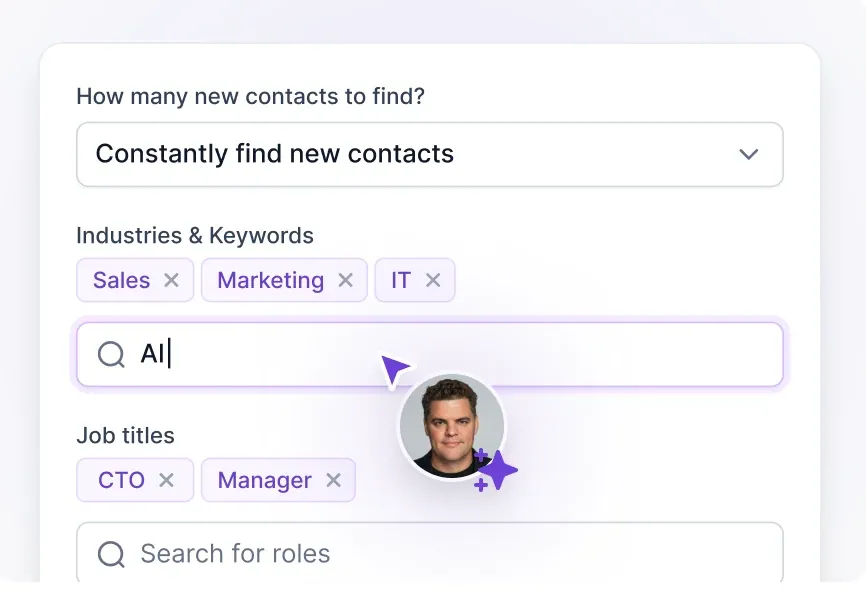
Agent Frank: an autonomous AI SDR running 24/7 across email and LinkedIn in auto-pilot or co-pilot mode
Source: Salesforge Agent Frank
For international startups, Salesforge’s multilingual capability sets it apart. The Dynamic Languages feature reads each contact’s LinkedIn profile language and selects the right variant within a single sequence. Auto Switch Languages matches a prospect’s reply language in subsequent messages. A European startup targeting Germany, France, Spain, and the UK can run one campaign instead of four.
AKOOL used this approach to reach over 214,000 prospects with a 16%+ positive reply rate, and UniteSync achieved an 85.26% positive reply rate with a $2.86 customer acquisition cost.
Agent Frank handles the full top-of-funnel workflow: prospecting, personalized outreach, multi-step follow-up, and meeting booking. It connects natively with HubSpot, Salesforce, Pipedrive, and Slack.
Salesforge: Pricing
- Pro: $40/month (annual gives 2 months free). 1,000 active contacts, 5,000 emails/month, 100 personalization credits. 1 user, email-only.
- Growth: $80/month. 10,000 active contacts, 50,000 emails/month, 1,000 personalization credits. Unlimited users, LinkedIn senders.
- Agent Frank: Custom pricing (requires demo). Dedicated account manager, shared Slack channel.
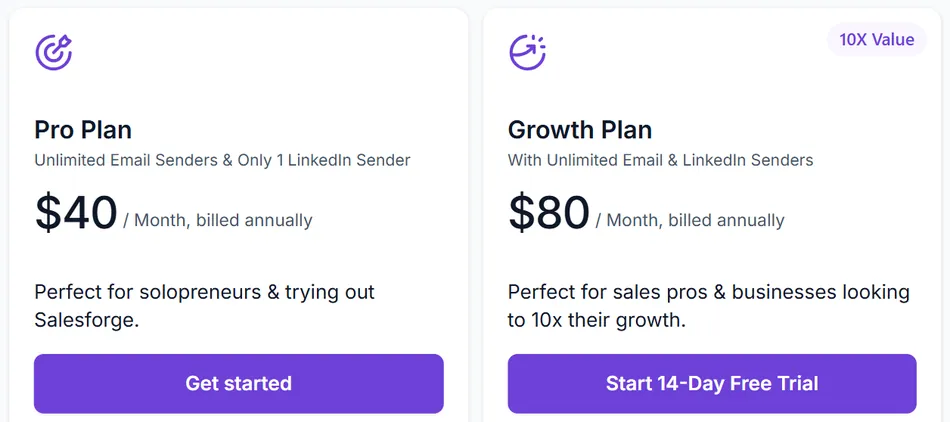
A 14-day free trial is available (50 active contacts, 100 emails, 50 personalization credits). Most startups wanting AI-unique emails at volume will need the Growth plan, since the Pro plan’s 100 credits limit AI personalization to high-value prospects only.
Use Salesforge if:
- You need AI writing unique emails for each contact, not filling in template blanks
- You’re targeting prospects across multiple languages or international markets
- You want an AI SDR handling prospecting and follow-up autonomously
- You prefer a vertically integrated outbound stack following the Forge ecosystem’s approach
Start a free trial of Salesforge.
Final Verdict
Each platform on this list solves a specific problem, and the right choice depends on where your startup is today: your budget, team size, technical comfort, and whether you need email-only outreach or multichannel engagement.
Our top picks for the most common startup scenarios:
- Instantly: If you need to get from zero to live campaigns as fast as possible, with unlimited email accounts and the largest warm-up network in the category.
- Apollo: If you want to consolidate your entire outbound stack (data, sequencing, deliverability, CRM) into one platform, with a free tier that lets you validate the channel before committing budget.
- Saleshandy: If every dollar matters and you need the most capability at the lowest price point, starting at $25/month with unlimited email accounts and an 800M+ lead database.
Whichever platform you choose, the fundamentals stay the same: warm up your inboxes before sending, verify your contact data, personalize beyond first names, and track what works. The right tool makes those fundamentals easier to execute, but the strategy behind your outreach determines results.
Best Cold Email Software for Startups FAQ
Which cold email software is best for a solo founder with no budget?
Snov.io offers the most functional free plan in the category, with lead finding, email verification, warm-up, and campaign sending included at no cost. Apollo’s free Starter plan is another strong option, providing 75 monthly credits and access to its 270M+ contact database. Both let you validate cold email as a channel before spending anything.
What is the cheapest paid cold email tool for startups?
Saleshandy has the lowest entry point at $25/month (annual billing) with unlimited email accounts included. Woodpecker starts at $35/month with contact-based pricing and no per-seat fees. Smartlead’s Base plan is $39/month. All three include warm-up and verification at no extra cost.
Do I need a separate warm-up tool?
Most platforms on this list include email warm-up at no extra charge. Instantly has the largest warm-up network (1M+ accounts), Smartlead offers an invite-only premium pool, lemlist bundles Lemwarm on all paid plans, and Woodpecker includes warm-up slots on every tier. A separate warm-up service is unnecessary if you choose a platform that includes it.
Which platform is best for multichannel outreach (email + LinkedIn + calls)?
lemlist and Reply.io are the strongest options. lemlist excels at creative personalization with dynamic images and LinkedIn voice notes. Reply.io offers the most structured multichannel orchestration with conditional branching across all channels. Both require their multichannel-tier plans for full functionality.
How many email accounts do I need for cold outreach?
Best practice is to send around 30 campaign emails per account per day to protect sender reputation. Sending 300 emails daily requires roughly 10 accounts. Platforms like Instantly, Smartlead, Saleshandy, Salesforge, and Woodpecker include unlimited email accounts on their plans, making it easy to add inboxes as volume grows.
What’s the difference between per-seat and per-volume pricing?
Per-seat pricing (used by Apollo, lemlist, Reply.io) charges for each user on the account, so costs rise as your team grows. Per-volume pricing (used by Instantly, Smartlead, Saleshandy, Woodpecker, Snov.io, Salesforge) charges based on emails sent or contacts reached, with unlimited team members included. For startups planning to add sales reps, per-volume models keep costs more predictable.
Which tool has the best built-in prospecting database?
Apollo’s 270M+ contact database with buying intent data, 65+ filters, and technographic signals offers the most enrichment depth. Saleshandy’s Lead Finder covers 800M+ contacts for broad coverage. Instantly’s SuperSearch has 450M+ contacts with waterfall verification. Reply.io claims 1B+ contacts with real-time web search. The right choice depends on whether you prioritize data depth (Apollo) or coverage breadth.
Can I use cold email software if I’m targeting international markets?
Salesforge is the strongest option for multilingual outreach, with AI-generated emails in 21 languages and automatic language detection that matches each prospect’s preferred language within a single campaign. Reply.io’s Jason AI also supports 50+ languages. Most other platforms can send in any language but require you to write separate campaigns for each market.