If you’ve looked at LinkedFusion’s three-tier pricing page, tried to decide whether 40 daily connection invitations will fill your pipeline or whether you need 100, and then added the cost of LinkedIn Sales Navigator and a third-party email finder, you already know that LinkedIn automation pricing doesn’t stop at the subscription.
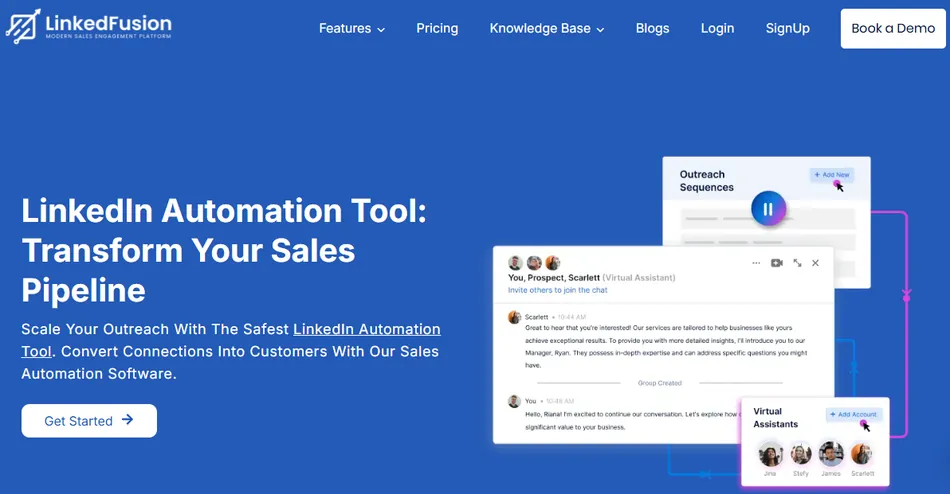
LinkedFusion is a cloud-based LinkedIn automation platform that runs outreach sequences around the clock from a dedicated IP address, with no browser extension and no always-on computer. It handles connection requests, multi-step follow-ups, a smart inbox, AI commenting, AI post scheduling, and 10+ native CRM integrations.
It serves B2B sales teams, agencies, and recruiters who prospect on LinkedIn at volume and want to keep their accounts safe. With 45,000+ professionals across 87 countries and a dedicated IP per account covering 190+ countries, LinkedFusion’s pitch is that it scales your outreach without getting your LinkedIn account flagged.
We analyzed LinkedFusion’s pricing tiers, daily limits, and total cost of ownership. LinkedFusion’s pricing is likely a good fit if:
- You run LinkedIn outreach consistently enough that a per-seat subscription pays for itself in pipeline
- Your daily prospecting needs fit one of the three limit tiers (40, 70, or 100 connection invitations per day)
- You want cloud-based execution that runs without your computer on, and you’ll pay more than browser-extension tools for that reliability
- You already have LinkedIn Sales Navigator and an email finder tool, so the unbundled pricing doesn’t create surprise costs
- You need native CRM integration (HubSpot, Salesforce, Pipedrive, Close, Zoho) included at every tier, not locked behind premium plans
However, LinkedFusion’s pricing may not fit if:
- Your outreach volume shifts week to week, making fixed daily limits either too tight or wastefully high
- You need email finding built into your subscription rather than sourcing API keys separately
- Your budget requires an all-in cost including LinkedIn Premium, and the combined expense exceeds what you can justify
- You want a free plan or a long free trial to test before committing (the 7-day trial is the only free option)
- You need enterprise procurement support, SOC 2 compliance, or SSO, none of which LinkedFusion currently offers
Want to see the plans for yourself? Check LinkedFusion’s pricing here. Otherwise, read on for the full breakdown.
LinkedFusion Pricing Summary
| LinkedFusion | |
|---|---|
| Free Trial | 7-day trial · No permanent free plan · Credit card required |
| Entry Level | Professional: $65.95/seat/mo (monthly) · $46.95/seat/mo (annual) · 40 daily invitations |
| Mid-Tier | Grow: $95.95/seat/mo (monthly) · $67.95/seat/mo (annual) · 70 daily invitations |
| Top Tier | Ultimate: $135.95/seat/mo (monthly) · $95.95/seat/mo (annual) · 100 daily invitations |
| Best For | B2B sales teams and agencies running consistent LinkedIn outreach who need cloud-based automation with native CRM sync |
LinkedFusion Pricing: In-Depth Overview
LinkedFusion uses a per-seat subscription model where every LinkedIn account you connect counts as one seat. Three tiers exist, separated by daily activity limits rather than features. All plans share the same CRM integrations, team management tools, and cloud infrastructure.
The main pricing lever is how many connection invitations and messages you can send per day. Billing options include monthly, quarterly (saving roughly 9%), and annual (saving roughly 29%). Here’s each tier, the free trial, and the costs that don’t appear on the pricing page.
LinkedFusion Free Trial: 7 Days
| Feature | Details |
|---|---|
| Duration | 7 days |
| Access Level | Premium Trial plan |
| Credit Card | Required for activation |
| Permanent Free Plan | None |
| Post-Trial | Converts to paid or access ends |
LinkedFusion offers a 7-day free trial described as a “test Premium Trial plan” in its Terms of Use. The trial requires a credit card to activate. No permanent free tier exists, so once the trial ends you either subscribe or lose access. LinkedFusion also provides free onboarding for new accounts, so you can get a guided setup call during the trial window.
| Free Trial Pros | Free Trial Cons |
|---|---|
| ✅ Access to premium features | ❌ Only 7 days to evaluate |
| ✅ Free onboarding support included | ❌ Credit card required upfront |
| ✅ Enough time to test one campaign cycle | ❌ No permanent free plan |
| ✅ Full CRM integration testing | ❌ Trial details not prominently displayed on pricing page |
The Bottom Line 👉 Seven days is enough to set up a test campaign and evaluate the interface, but not enough to measure outreach results. Use the trial to test CRM sync and campaign setup, not conversion rates.
LinkedFusion Professional Plan: $65.95/seat/month
| Feature | Details |
|---|---|
| Monthly Price | $65.95/seat |
| Quarterly Price | $59.95/seat/mo |
| Annual Price | $46.95/seat/mo |
| Daily Connection Invitations | 40 |
| Daily Message Credits | 120 |
| CRM Integrations | All native integrations included |
| Team Features | Team management, blacklist, sync, templates |
The Professional plan is LinkedFusion’s entry tier. At 40 daily connection invitations and 120 daily message credits, it supports roughly 800 to 1,200 new connection requests per month (assuming 20 to 30 working days).
All CRM integrations (HubSpot, Salesforce, Pipedrive, Close, Zoho, Insightly, Google Sheets) come included, along with team management, shared templates, and the cloud dashboard. Annual billing drops the rate to $46.95/seat/month, a 29% discount that makes this tier competitive with browser-extension alternatives.
| Professional Plan Pros | Professional Plan Cons |
|---|---|
| ✅ All CRM integrations included | ❌ 40 daily invitations may be too low for active prospectors |
| ✅ Annual pricing competitive at $46.95 | ❌ Monthly rate of $65.95 is steep for light users |
| ✅ Cloud-based, always-on automation | ❌ Same features as higher tiers, just lower limits |
| ✅ Dedicated IP included | ❌ Email Finder API keys not included |
The Bottom Line 👉 Professional works for individual reps or small teams running steady, moderate-volume LinkedIn outreach. If you send fewer than 40 connection requests per day, this tier covers the job without overpaying. If you regularly hit that ceiling, the Grow plan fits better.
LinkedFusion Grow Plan: $95.95/seat/month
| Feature | Details |
|---|---|
| Monthly Price | $95.95/seat |
| Quarterly Price | $85.95/seat/mo |
| Annual Price | $67.95/seat/mo |
| Daily Connection Invitations | 70 |
| Daily Message Credits | 210 |
| CRM Integrations | All native integrations included |
| Team Features | Team management, blacklist, sync, templates |
LinkedFusion marks the Grow plan as “Popular”, and the daily limits explain why. At 70 connection invitations and 210 message credits per day, it supports roughly 1,400 to 2,100 monthly connection requests, a clear jump from Professional’s 800 to 1,200.
The feature set is identical to Professional. You’re paying for higher daily volume, not additional capabilities. At the annual rate of $67.95/seat/month, each connection attempt costs roughly $0.97 to $1.46, depending on working days.
| Grow Plan Pros | Grow Plan Cons |
|---|---|
| ✅ 75% more daily invitations than Professional | ❌ $30/month premium over Professional (monthly billing) |
| ✅ 210 daily messages supports multi-step sequences | ❌ No additional features vs. Professional |
| ✅ Annual rate of $67.95 is the best value tier | ❌ Still no email finder included |
| ✅ Enough volume for full-time prospectors | ❌ 70 invitations may still cap out for agencies |
The Bottom Line 👉 Grow fits dedicated sales reps or recruiters who prospect as their primary daily activity. The 75% increase in daily limits over Professional justifies the 45% price increase for users who’ll actually use that capacity.
LinkedFusion Ultimate Plan: $135.95/seat/month
| Feature | Details |
|---|---|
| Monthly Price | $135.95/seat |
| Quarterly Price | $120.95/seat/mo |
| Annual Price | $95.95/seat/mo |
| Daily Connection Invitations | 100 |
| Daily Message Credits | 300 |
| CRM Integrations | All native integrations included |
| Team Features | Team management, blacklist, sync, templates |
The Ultimate plan caps LinkedFusion’s daily activity at 100 connection invitations and 300 message credits. At full use over 20 to 30 working days, that’s 2,000 to 3,000 monthly connection requests per seat. The feature set is identical to the lower tiers.
You’re paying for volume alone. At $135.95/month (or $95.95 annually), this tier targets agencies running multi-client campaigns, high-volume recruiters, or sales teams where each rep needs the highest daily throughput. The annual discount brings the per-seat cost below $100, which is where the plan starts making financial sense for heavy users.
| Ultimate Plan Pros | Ultimate Plan Cons |
|---|---|
| ✅ Highest daily limits available | ❌ $135.95/month is expensive for a single seat |
| ✅ 300 daily messages for complex sequences | ❌ No exclusive features vs. lower tiers |
| ✅ Annual rate under $100 for max volume | ❌ LinkedIn itself may flag accounts at this activity level |
| ✅ Best per-invitation cost at full utilization | ❌ Overkill if you won’t consistently hit 100 daily invitations |
The Bottom Line 👉 Ultimate makes sense if you consistently send 70+ connection invitations per day. If you’re not regularly hitting the Grow plan’s ceiling, you’re paying a 42% premium for capacity you won’t use.
Where LinkedFusion’s Pricing Falls Short
LinkedFusion’s per-seat model with identical features across tiers has the advantage of simplicity, but the pricing structure creates friction in three areas:
Daily Limits as the Only Differentiator
- All three plans include the same CRM integrations, team tools, and cloud infrastructure. The only difference is daily connection and message caps.
- You’re paying a 106% premium (Professional to Ultimate on monthly billing) for higher daily limits alone, with no additional features, priority support, or advanced analytics at higher tiers.
- Users whose volume needs fall between tiers (say, 50 daily invitations) must either underbuy and feel constrained or overbuy and waste capacity.
Unbundled Costs That Add Up
- Email Finder API keys are excluded from all plans. If you need email finding in your workflows, you must source and pay for third-party keys separately.
- LinkedIn Sales Navigator ($79 to $99+/month) is recommended but not bundled. For a single user on the Professional monthly plan, the combined cost reaches $145 to $165/month before email finder costs.
- Whitelabel and agency pricing requires contacting sales directly with no public rate card, making it hard for agencies to forecast costs before a sales conversation.
Restrictive Refund and Trial Terms
- The 7-day refund window is tight, especially since outreach results take 2 to 4 weeks to materialize.
- LinkedFusion excludes renewal payments from refund eligibility, and promotional or discounted subscriptions are non-refundable.
- Combined with documented cases of LinkedIn account restrictions after using the tool, the narrow refund window creates risk for new subscribers.

Source: LinkedFusion Terms of Use
If any of these are deal-breakers, several alternatives may be worth considering.
LinkedFusion Alternatives
If LinkedFusion’s volume-only tier differentiation, unbundled costs, or trial limitations don’t fit your situation, several LinkedIn automation platforms cover similar ground with different strengths:
- Expandi. A cloud-based competitor with a similar dedicated-IP approach and a strong safety reputation. Expandi offers more granular campaign analytics and A/B testing than LinkedFusion, making it a better fit for teams that optimize campaigns based on performance data. Pricing is flat-rate per seat without volume-tiered daily limits.
- Dripify. A more affordable entry point with a simpler interface. Dripify offers a free plan with limited functionality and paid tiers starting below LinkedFusion. A reasonable fit for individual reps or small teams who don’t need LinkedFusion’s CRM integrations or team management features.
- Skylead. A multi-channel outreach tool combining LinkedIn and email in one platform, with email finding included in the subscription. Worth considering if LinkedFusion’s separate email finder cost is a sticking point and you want LinkedIn plus email automation under one bill.
- We-Connect. A mid-range cloud-based option with a single pricing tier that includes all features. We-Connect skips the complexity of choosing between volume-tiered plans and offers a flat per-seat cost. A good fit if you want predictable pricing without daily limit calculations.
- Dux-Soup. A browser-extension alternative at a lower price point. The trade-off: your computer must be running for campaigns to execute, and you lose the cloud-based reliability LinkedFusion provides. A practical choice for budget-conscious prospectors who don’t mind the browser dependency.
Each is worth a closer look depending on your daily volume needs, budget for the full outreach stack (including LinkedIn Premium and email finding), and whether cloud-based execution is a requirement or a preference.
Final Verdict: LinkedFusion Pricing
LinkedFusion is a per-seat LinkedIn automation platform built for B2B teams that need cloud-based, always-on outreach with native CRM sync and dedicated IP protection. With pricing from $46.95 to $135.95/seat/month (annual billing), it lets sales reps, recruiters, and agencies run multi-step LinkedIn sequences that keep working while they sleep, with conversation history flowing into their CRM.
The pricing model works best for teams with predictable daily outreach volumes, an existing Sales Navigator subscription, and a willingness to source email finder tools separately.
Is LinkedFusion’s pricing right for you? If your outreach volume fits one of the three daily limit tiers, you value dedicated IPs and cloud execution over the lower cost of browser extensions, and you already budget for LinkedIn Premium separately, LinkedFusion delivers a complete LinkedIn automation workflow at a competitive per-seat price (especially on annual billing).
If your volumes fluctuate, you want email finding included, or you need enterprise compliance certifications, you’ll either overpay for unused capacity or find gaps that require additional tools to fill.
Get started with LinkedFusion here.
LinkedFusion Pricing FAQ
Does LinkedFusion have a free plan?
No. LinkedFusion does not offer a permanent free plan. The only free option is a 7-day trial with access to a premium trial plan. After the trial ends, you must subscribe to a paid tier to continue using the platform. A credit card is required to activate the trial.
What’s the cheapest way to use LinkedFusion?
The lowest cost is the Professional plan on annual billing at $46.95/seat/month ($563.40 per year per seat). This price does not include LinkedIn Sales Navigator (roughly $79 to $99+/month) or third-party Email Finder API keys, both recommended for full functionality. The true minimum monthly cost for a single user is closer to $126 to $146 when Sales Navigator is factored in.
What’s the difference between the three LinkedFusion plans?
Daily activity limits only. Professional allows 40 connection invitations and 120 messages per day. Grow increases those to 70 invitations and 210 messages. Ultimate goes to 100 invitations and 300 messages. All three tiers include the same CRM integrations, team management features, cloud dashboard, and dedicated IP address.
Does LinkedFusion offer a startup discount?
Yes. LinkedFusion offers a flat 40% discount for startups under 2 years old. Eligibility requires an incorporation certificate. This discount applies across plans, bringing the Professional annual rate to roughly $28/seat/month, one of the lowest cloud-based LinkedIn automation prices available.
Does LinkedFusion offer refunds?
Refunds are available within 7 days of the initial payment only. Renewal charges, promotional offers, and discounted subscriptions are excluded from refund eligibility. LinkedFusion also accepts refund requests for duplicate payments or charges made after account cancellation. Given the narrow window, test the platform thoroughly during the 7-day trial before subscribing.
Are there hidden costs beyond the subscription?
Two significant costs sit outside the subscription. First, no plan includes Email Finder API keys; you must source and fund them separately. Second, LinkedIn Sales Navigator or LinkedIn Premium is recommended but billed separately through LinkedIn. For agencies, whitelabel access requires contacting support directly, and no public pricing exists for that option.
How does annual billing compare to monthly?
Annual billing saves roughly 29%. Professional drops from $65.95 to $46.95 per seat per month. Grow drops from $95.95 to $67.95. Ultimate drops from $135.95 to $95.95. Quarterly billing offers a smaller discount of roughly 9%. Annual plans carry commitment risk, and renewal payments are not eligible for refunds.
What payment methods does LinkedFusion accept?
LinkedFusion accepts credit cards, debit cards, and PayPal (including PayPal guest checkout). No invoicing or purchase-order billing is documented, which may matter for companies that require formal procurement processes.