If you’ve tried to navigate SalesRobot’s per-LinkedIn-account pricing (figuring out whether the Basic plan’s single active campaign is enough, or you need Advanced for A/B testing and Zapier, while adding cold email at $15 per mailbox on top), you know that LinkedIn automation pricing requires more math than it first appears.
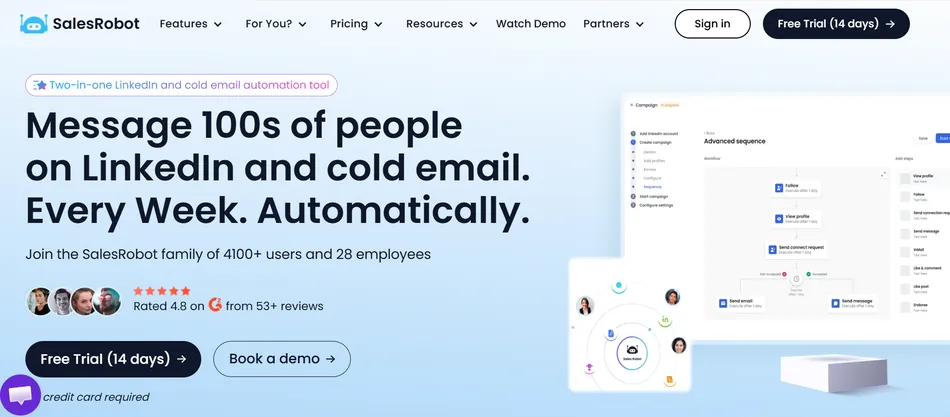
SalesRobot sells itself as a two-in-one LinkedIn and cold email automation tool that protects accounts through residential IPs and mobile API routing. The platform lets B2B sales teams and lead generation agencies automate connection requests, follow-up sequences, AI voice notes, and video messages from one dashboard. But the pricing layers per-account LinkedIn fees, separate email add-ons, and volume discounts that shift at the 10-account and 20-account thresholds, so the true monthly cost depends on how many channels and seats you need.
We’ve analyzed SalesRobot’s pricing tiers, add-on costs, and volume discount breakpoints. SalesRobot’s pricing is likely a good fit if:
- You’re buying for multiple LinkedIn accounts and can reach the 10+ or 20+ volume discount tiers where per-seat costs drop
- Your outreach is LinkedIn-first, with email as a secondary channel rather than your main sending infrastructure
- You want AI features (voice notes, video messages, appointment setting) included from the entry tier rather than locked behind enterprise pricing
- You’re an agency that needs white-label capability and multi-client management from one dashboard
- You value account safety enough to pay a premium over browser-extension tools that carry higher ban risk
However, SalesRobot’s pricing may not fit if:
- You’re a solo user who only needs one LinkedIn account, where the per-seat model offers no volume advantage
- Cold email is your primary channel and you need warmup infrastructure, domain health monitoring, and deliverability optimization
- You need team management features but can’t justify the Professional tier at $79/month per account annually
- Your budget requires a single predictable line item rather than separate LinkedIn and email billing
- You’re evaluating tools that include unlimited campaigns on the entry tier, since SalesRobot’s Basic plan restricts you to one active campaign
Want to see the plans for yourself? Check SalesRobot’s pricing here. Otherwise, read on for our full breakdown.
Let’s get into the pricing breakdown.
SalesRobot Pricing Summary
| SalesRobot | |
|---|---|
| Free Trial | 14-day trial - No credit card required - All features included - No auto-charge |
| Entry Level | Basic: $39/mo per LinkedIn account (annual) - 1 active campaign - AI Appointment Setter included |
| Mid-Tier | Advanced: $59/mo per LinkedIn account (annual) - Unlimited campaigns - A/B testing - Zapier/Webhook |
| High-Tier | Professional: $79/mo per LinkedIn account (annual) - Team management - Activity control |
| Best For | B2B sales teams and lead gen agencies running LinkedIn + email outreach across multiple accounts |
SalesRobot Pricing: In-Depth Overview
Source: SalesRobot
SalesRobot uses a per-LinkedIn-account, per-month pricing model with four tiers: Basic, Advanced, Professional, and Enterprise. Annual billing saves 24-34% compared to monthly rates. The platform bills LinkedIn and email outreach separately, with cold email available as a $15/month per email account add-on or through a Bulk Email plan.
Volume discounts kick in at 10 accounts (33% off) and 20 accounts (45% off), lowering the per-seat cost for agencies managing client portfolios. Here’s each tier, the add-ons, and how total costs scale.
SalesRobot Free Trial: 14 Days, Full Access
| Feature | Details |
|---|---|
| Duration | 14 days |
| Credit Card | Not required |
| Features | All features included |
| Auto-Charge | No automatic billing after trial |
| First Lead | 76% of trial users get their first lead within 2 days |
SalesRobot’s trial gives full access to every feature for 14 days without requiring a credit card. Unlike many automation tools that limit trial users to basic functionality, SalesRobot includes the AI Appointment Setter, voice notes, video messages, and multichannel sequences. The trial does not auto-convert to a paid plan, so there’s no risk of surprise charges. Trial extensions are available by contacting support.
| Free Trial | |
|---|---|
| Pros | Cons |
| ✅ No credit card required | ❌ 14 days may not be enough for full evaluation |
| ✅ All features accessible | ❌ No permanent free tier available |
| ✅ No auto-charge after expiration | ❌ Trial extensions require contacting support |
| ✅ AI features included | ❌ Limited to testing with one LinkedIn account |
The Bottom Line 👉 The trial is usable for testing real campaigns. With 76% of users reportedly getting a lead within 2 days, 14 days gives enough time to evaluate whether the platform delivers for your use case.
SalesRobot Basic Plan: $39/month (Annual) or $59/month (Monthly)
| Feature | Details |
|---|---|
| Annual Price | $39/month per LinkedIn account |
| Monthly Price | $59/month per LinkedIn account |
| Active Campaigns | 1 |
| Daily Quotas | Limited |
| AI Appointment Setter | Included |
| Dashboard & Reports | Advanced dashboard included |
The Basic plan is SalesRobot’s entry point. At $39/month annually ($59 monthly), it provides core LinkedIn automation with the AI Appointment Setter included from day one. The single active campaign limit is the biggest restriction.
Users running outreach to different ICPs or testing multiple messaging approaches will hit this ceiling quickly. Daily quotas are also lower than higher tiers, though specific numbers aren’t published.
What’s included at this price: the AI Appointment Setter Agent, which handles reply conversations and books meetings on its own. Most competing tools restrict AI conversation handling to premium tiers.
What’s excluded: Webhook and Zapier integration, A/B testing, CSV lead export, personal inbox access, and team management. If you need CRM automation beyond basic syncing, you’ll need the Advanced plan.
| Basic Plan | |
|---|---|
| Pros | Cons |
| ✅ AI Appointment Setter included | ❌ Only 1 active campaign |
| ✅ Affordable entry at $39/mo annually | ❌ Limited daily quotas |
| ✅ Full safety infrastructure (residential IPs) | ❌ No Webhook or Zapier integration |
| ✅ Advanced dashboard included | ❌ No A/B testing |
The Bottom Line 👉 The Basic plan suits individual reps running a single outreach campaign. The AI Appointment Setter at this price is unusual in the category, but the one-campaign limit makes it impractical for anyone targeting multiple audiences or offers.
SalesRobot Advanced Plan: $59/month (Annual) or $79/month (Monthly)
| Feature | Details |
|---|---|
| Annual Price | $59/month per LinkedIn account |
| Monthly Price | $79/month per LinkedIn account |
| Active Campaigns | Unlimited |
| Daily Quotas | Full |
| A/B Testing | Included |
| Zapier & Webhooks | Included |
| CSV Lead Export | Included |
| Personal Inbox | Included |
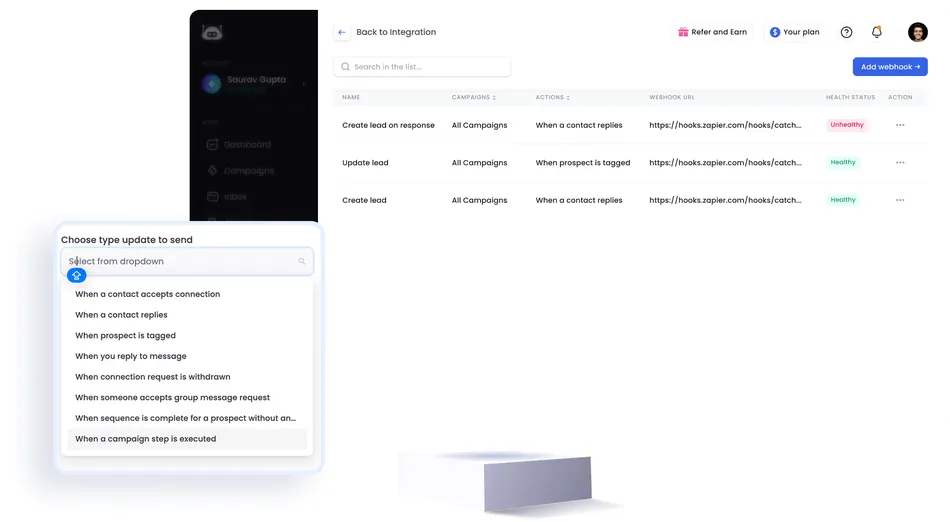
The Advanced plan removes the Basic tier’s worst constraints: unlimited active campaigns, full daily quotas, and A/B testing. Webhook and Zapier integration opens CRM automation (HubSpot, Salesforce, Pipedrive, Zoho, Copper) that the Basic plan can’t support. Personal inbox access gives a fuller view of conversations.
Source: SalesRobot
The jump from $39 to $59 per account monthly (on annual billing) is a 51% price increase, but the feature gain matches it. Moving from one campaign to unlimited, from limited to full daily quotas, and gaining integrations makes this the tier where SalesRobot becomes an operational tool rather than a basic automation layer.
| Advanced Plan | |
|---|---|
| Pros | Cons |
| ✅ Unlimited campaigns | ❌ No team management features |
| ✅ Full daily quotas | ❌ No activity control for team members |
| ✅ A/B testing included | ❌ $20/mo more per account than Basic (annual) |
| ✅ Webhook, Zapier, CSV export | ❌ Still per-account pricing at scale |
The Bottom Line 👉 Advanced is where most individual users and small teams will land. Unlimited campaigns and CRM integration make it functional for real outbound operations. If you don’t need multi-user team management, this tier covers everything else.
SalesRobot Professional Plan: $79/month (Annual)
| Feature | Details |
|---|---|
| Annual Price | $79/month per LinkedIn account |
| Monthly Price | Not separately listed |
| Team Management | Included |
| Activity Control | Included |
| Role-Based Permissions | 5 roles: Admin, Account Manager, Account Holder, Dashboard Viewer, Read Only |
| Prospect Deduplication | Cross-team deduplication |
The Professional plan adds what teams need to coordinate: team management, activity control, and a five-role permission system from Admin through Read Only. Prospect deduplication across team members prevents two reps from contacting the same lead. Shared sequence templates let the team work from standardized messaging.
At $79/month per LinkedIn account annually, the Professional tier costs 35% more than Advanced. The value depends on whether you need multi-user coordination. A solo operator or two-person team can manage without team management features. But agencies running multiple client accounts, or sales teams with 3+ reps, need the deduplication and permission controls this tier provides.
| Professional Plan | |
|---|---|
| Pros | Cons |
| ✅ Full team management suite | ❌ $79/mo per account adds up quickly |
| ✅ Five-tier permission system | ❌ Monthly pricing not published |
| ✅ Cross-team prospect deduplication | ❌ Same features available cheaper at volume discounts |
| ✅ Activity control for oversight | ❌ Enterprise features still require custom pricing |
The Bottom Line 👉 Professional is the minimum tier for agencies and sales teams. Team management and deduplication become necessary once you’re coordinating across multiple reps or client accounts.
SalesRobot Enterprise Plan: Custom Pricing
| Feature | Details |
|---|---|
| Price | Custom |
| Premium Onboarding | Included |
| Dedicated Technical Support | Included |
| Dedicated CSM | Included |
The Enterprise tier wraps everything in the Professional plan with premium onboarding, dedicated technical support, and a dedicated Customer Success Manager. Pricing requires contacting sales directly. This tier targets organizations with enough account volume or complexity to need hands-on support.
For agencies managing 20+ LinkedIn accounts, the Enterprise tier likely overlaps with the 45% volume discount at that threshold. Whether the custom pricing improves on that discount or bundles additional services requires direct negotiation.
| Enterprise Plan | |
|---|---|
| Pros | Cons |
| ✅ Dedicated CSM | ❌ No published pricing |
| ✅ Premium onboarding support | ❌ Requires sales conversation |
| ✅ Dedicated technical support | ❌ Contract terms unknown |
| ✅ All features included | ❌ Likely requires annual commitment |
The Bottom Line 👉 Enterprise makes sense for large agencies or sales organizations with 20+ accounts who want hands-on support alongside volume pricing. Everyone else can get what they need from Professional plus the standard volume discounts.
Where SalesRobot’s Pricing Falls Short
SalesRobot’s per-account model and AI feature inclusion offer value for multi-account buyers, but the pricing structure creates friction in several areas:
Cold Email Is a Separate Line Item
- SalesRobot bills LinkedIn and email outreach separately, not as one plan
- Adding cold email costs $15/month per email account on top of your LinkedIn plan
- A user running one LinkedIn account plus two email accounts on the Advanced tier pays $59 + $30 = $89/month annually, not the $59 headline price
- The separate Bulk Email pricing tab adds complexity for teams evaluating email-only or combined use cases
Basic Plan’s One-Campaign Limit Is Restrictive
- The $39/month Basic tier allows only 1 active campaign, which forces an upgrade to Advanced the moment you target a second audience or test a different approach
- At $59/month for Advanced, the real entry price for practical use is higher than the $39 headline
- Webhook and Zapier integration are also excluded from Basic, cutting off CRM automation at the entry tier
Team Management Requires the Professional Tier
- Team management is locked to Professional at $79/month per account, meaning a five-person team pays $395/month annually before any email add-ons
- There’s no intermediate tier that offers basic team coordination without the full management suite
- The $20/month gap between Advanced ($59) and Professional ($79) per account compounds across a multi-seat deployment
No Published Monthly Price for Professional
- SalesRobot doesn’t list the Professional tier’s monthly rate, making it hard to evaluate without committing to annual billing or contacting sales
- This is unusual in a market where most competitors publish all billing options
If any of these are deal-breakers, several alternatives in the same category are worth considering.
SalesRobot Alternatives
If SalesRobot’s separate email billing, Basic plan restrictions, or Professional-tier team management gate don’t fit your situation, several LinkedIn automation and cold outreach platforms cover overlapping territory with different strengths:
Expandi. A direct competitor in cloud-based LinkedIn automation, known for smart sequencing and a broad integration ecosystem. Priced higher (approximately $99/month per seat), but bundles more features into a single tier rather than splitting across Basic/Advanced/Professional. A better fit if you want one price with fewer upgrade decisions. AI voice notes are a paid add-on rather than built in. → Try Expandi on a special offer here!
Dripify. A more affordable LinkedIn automation option with plans starting around $59/month. Simpler pricing with fewer tiers. Lacks SalesRobot’s native voice note and video message capabilities, and uses browser-based automation rather than residential IPs, which carries higher account safety risk. → Try Dripify on a special offer here!
HeyReach. Designed for agencies managing many LinkedIn accounts from one dashboard. Strong multi-account management. However, HeyReach is LinkedIn-only and requires integration with Instantly or Smartlead for email, adding tool cost and coordination overhead. No native AI voice or video features. → Try HeyReach on a special offer here!
Instantly. An email-first cold outreach platform with warmup infrastructure and deliverability optimization that SalesRobot lacks on the email side. A stronger choice if cold email is your primary channel. LinkedIn automation is not a core feature, so teams needing both channels would run Instantly alongside a LinkedIn tool.
Waalaxy. A more accessible LinkedIn and email automation tool with a free plan for basic use. Lower price point than SalesRobot for individual users. Uses browser-based automation, which carries higher LinkedIn ban risk compared to SalesRobot’s residential IP approach. Lacks AI voice, video, and appointment-setting features. → Try Waalaxy on a special offer here!
Each is worth a closer look depending on whether LinkedIn or email is your primary channel, how many accounts you’re managing, and whether AI media capabilities or account safety matter most.
Pricing for Different Team Sizes
SalesRobot’s per-account model means total cost scales linearly with the number of LinkedIn accounts, modified by volume discount breakpoints. Here’s how the math works across team sizes, using annual billing:
Solo Operator (1 LinkedIn Account)
Basic: $39/month ($468/year)
Advanced: $59/month ($708/year)
With 1 email add-on: +$15/month ($180/year)
Realistic annual cost (Advanced + email): $888/year
At one account, there’s no volume discount. SalesRobot’s value here rests on the AI features (voice notes, video, appointment setter) that competitors either don’t offer or restrict to higher tiers.
Small Team (3-5 LinkedIn Accounts)
Advanced at 3 accounts: $177/month ($2,124/year)
Professional at 5 accounts: $395/month ($4,740/year)
With email add-on (5 email accounts): +$75/month ($900/year)
Realistic annual cost (Professional, 5 seats + email): $5,640/year
Below the 10-account threshold, no volume discounts apply. The Professional tier is likely necessary at this size for team management and deduplication.
Mid-Size Agency (10-19 LinkedIn Accounts)
Professional at 10 accounts (33% off $79): approximately $53/month per account, or $530/month ($6,360/year)
With email add-on (10 email accounts): +$150/month ($1,800/year)
Realistic annual cost (10 seats + email): $8,160/year
The 10-account breakpoint delivers real savings. What would cost $790/month at list price drops to approximately $530/month.
Large Agency (20+ LinkedIn Accounts)
Professional at 20 accounts (45% off $79): approximately $43/month per account, or $870/month ($10,440/year)
Enterprise custom pricing may improve on these rates further
At 20 accounts, the per-seat cost approaches the Basic plan’s list price while including all Professional features. This is where SalesRobot’s pricing becomes most competitive against alternatives that charge flat per-seat rates regardless of volume.
Is SalesRobot Worth the Price?
SalesRobot’s pricing holds up in specific scenarios and falls short in others. Here’s where the value lands:
Where the value is strong:
The AI Appointment Setter on the Basic plan at $39/month is a real differentiator. Competing tools either don’t offer autonomous conversation handling or charge enterprise rates for it. If the AI books even one additional meeting per month that you wouldn’t have followed up on manually, the plan pays for itself in most B2B contexts.
Voice notes and video messages are included, not upsold. SalesRobot’s data cites 40%+ reply rates from voice note campaigns, and case studies document 66% reply rates using voice and video in sequences. If these formats are part of your outreach strategy, the alternative is paying for a separate tool and coordinating it manually.
Volume discounts at 10+ and 20+ accounts create good economics for agencies. At 20 accounts with a 45% discount, the per-seat cost on the Professional tier drops to approximately $43/month, competitive with tools that offer fewer features at comparable or higher prices.
Where the value weakens:
At one account on the Basic plan, the single-campaign limit makes the $39 price misleading. Most users will need the Advanced plan at $59/month to run outreach effectively. Compare this to competitors where the entry tier includes unlimited campaigns.
Email as a $15/month add-on per account adds billing complexity and raises total cost for multichannel users. A user on the Advanced plan with email pays $74/month per account, not $59. For teams that depend equally on LinkedIn and email, the separate billing feels like a surcharge.
The Professional tier at $79/month per account is where team management lives, but a 10-person team spends $790/month at list price before volume discounts. That’s a large commitment for coordination features that some competitors include at lower tiers.
LinkedIn Premium is not required, which is worth noting. Tools that depend on Sales Navigator access add $99/month per seat on top of their own subscription.
Final Verdict: SalesRobot Pricing
SalesRobot is a per-account LinkedIn and email automation platform built for teams that prioritize account safety, AI personalization, and multichannel outreach. With annual pricing from $39 to $79 per LinkedIn account and volume discounts of 33% at 10 accounts and 45% at 20 accounts, it rewards agencies and multi-seat teams who can aggregate accounts to reach discount thresholds.
Including the AI Appointment Setter, voice notes, and video messages from the entry tier is uncommon in the category and gives teams whose outreach benefits from rich media a concrete reason to choose it.
The pricing works best for lead generation agencies managing 10+ client LinkedIn accounts, where volume discounts and white-label capability justify the per-seat model. It also suits B2B sales teams of 3-5 reps who value AI conversation handling and account safety over cold email volume.
It works less well for solo operators who need unlimited campaigns at the lowest price, email-first teams who need deliverability infrastructure, or buyers who want one monthly line item without separate LinkedIn and email billing.
Get started with SalesRobot here.
SalesRobot Pricing FAQ
Does SalesRobot have a free plan?
No. SalesRobot offers a 14-day free trial with full feature access and no credit card required, but there is no permanent free tier. The trial does not auto-convert to a paid subscription, so you won’t be charged unless you actively upgrade. Trial extensions are available by contacting support if you need more time.
How much does SalesRobot cost per month?
SalesRobot charges per LinkedIn account per month across four tiers. On annual billing: Basic is $39, Advanced is $59, Professional is $79, and Enterprise is custom. Monthly billing is available on Basic ($59) and Advanced ($79), but the Professional tier’s monthly rate is not published. Volume discounts of 33% apply at 10+ accounts and 45% at 20+ accounts.
What’s included in SalesRobot’s Basic plan?
The Basic plan includes 1 active campaign, limited daily quotas, a dashboard with reports, performance automation, and the AI Appointment Setter Agent. It does not include Webhook or Zapier integration, A/B testing, CSV lead export, personal inbox access, or team management. Most users who need more than one campaign or CRM integration will need the Advanced plan.
Does SalesRobot require LinkedIn Premium or Sales Navigator?
No. SalesRobot states that LinkedIn Premium is not required. The platform works with a free LinkedIn account, can send up to 75 connection requests per day, and delivers up to 40 InMails per day to open profiles without consuming InMail credits. Sales Navigator is optional and can improve targeting if you already have it, but it’s not a prerequisite.
Is cold email included in SalesRobot’s pricing?
Cold email is not bundled into the LinkedIn plans. It’s available as a separate add-on at $15 per month per email account for LinkedIn plan users, or through a Bulk Email pricing option with a 10% annual discount. A user on the Advanced plan who adds one email account pays $74 per month annually, not $59.
Does SalesRobot offer refunds?
New paying customers receive a 15-day cancellation window from the date of account activation, during which a full refund is available. After that window closes, SalesRobot issues no refunds or credits for partial months, quarters, or years. Former subscribers who reactivate are not eligible for the 15-day refund window.
What are SalesRobot’s volume discounts for agencies?
Agencies managing multiple LinkedIn accounts receive tiered volume discounts: 33% off for 10 or more accounts and 45% off for 20 or more accounts. At the 20-account threshold on the Professional tier, the per-seat cost drops from $79 to approximately $43 per month annually. Enterprise custom pricing may offer additional terms for larger deployments.
Can I switch from monthly to annual billing?
Yes. SalesRobot lets users switch from monthly to annual billing at any time and charges only the difference. Annual billing saves 24-34% depending on the tier. Upgrades and downgrades between tiers take effect at the next billing cycle.