Manyreach prices cold email differently. Where most platforms charge monthly per seat or per mailbox, Manyreach sells sending credits in one-time blocks and lets you connect as many email accounts, team members, and workspaces as you want at every tier. Pay for what you send, not for the infrastructure around it.
The platform was born from necessity. Its founders ran a lead-generation business and needed to send 25,000 emails per day across 500+ senders. Every existing tool quoted them $250,000 per year in per-seat fees. So they built their own, and in the process introduced sender rotation as a deliverability mechanism before most competitors adopted it.
After analyzing the platform, we believe Manyreach is a strong fit if:
- You run a lead generation agency with variable month-to-month sending volume
- You need unlimited mailboxes and team members without per-seat fees
- You want every feature (CRM, API, A/Z testing, unified inbox) without paying for a premium tier
- You prefer pay-as-you-go pricing over monthly subscriptions
- You want white-label capability to brand the platform for your clients
However, Manyreach is not a good fit if:
- You need multichannel outreach (LinkedIn, SMS, calls) alongside email
- You want a polished UI with a short learning curve
- You need a built-in lead database or prospect sourcing tool
- Reliable, fast customer support is critical to your operations
- You require compliance certifications (SOC 2, ISO 27001)
If you’re ready to try it, you can get started with Manyreach here. Otherwise, keep reading for our full breakdown.
What is Manyreach?
Manyreach is a cold email outreach platform operated by Loving Universe LLC, founded in 2019 and headquartered in London. It calls itself “The Only Truly ‘Unlimited’ Cold Emailing Platform”, targeting lead generation agencies, sales teams, and founders who send at high volume and resent the scaling costs that come with per-seat subscriptions.
The core promise is structural: unlimited mailboxes, contacts, team members, and workspaces on every plan, including the free tier. Instead of monthly subscriptions, Manyreach uses a credit-based model where 1 credit equals 1 campaign email sent. Credits are purchased in one-time blocks, and every feature ships with every purchase.
That positioning came from user research. When the company’s growth stalled after an initial lifetime deal launch, they commissioned user interviews through their design agency partner Bricx. Three reasons kept surfacing: unlimited contacts with no premium charge, unlimited senders, and no monthly payment obligation. Those findings became the brand.
Today, Manyreach claims 11,500+ businesses use the platform, though the figure is unaudited. The team is small (roughly 2-10 employees), and the company is bootstrapped with no external funding.
Manyreach Pros & Cons
| Pros | Cons |
|---|---|
| ✅ Unlimited mailboxes, contacts, and team members on all plans | ❌ UI/UX lags behind competitors |
| ✅ Pay-as-you-go credits with no monthly subscription | ❌ Email-only (no LinkedIn, SMS, or multichannel) |
| ✅ Full feature set at every tier (CRM, API, webhooks, A/Z testing) | ❌ No built-in lead database or prospect sourcing |
| ✅ White-label option for agencies | ❌ Customer support quality is inconsistent |
| ✅ Sender rotation and dedicated per-campaign IPs | ❌ Very small public review corpus |
| ✅ Built-in CRM and unified inbox included free | ❌ Some users report mailbox disconnection issues |
| ✅ Lifetime deal option available | ❌ No published security certifications |
Who is Manyreach Best For?
Manyreach’s pricing and infrastructure favor a specific set of users. The pay-as-you-go credit system, unlimited mailbox connections, and white-label capability suit operators who need volume flexibility without fixed monthly overhead.
- Lead generation agencies with variable client loads.
The credit model means you pay for what you send, not for the months you hold the account. Agencies that scale from 10,000 emails one month to 100,000 the next avoid the wasted spend of a fixed subscription. The white-label product lets agencies deliver a branded cold outreach platform to their clients, and unlimited workspaces keep client campaigns separated.
- High-volume senders who need cheap infrastructure.
At 1,000,000 credits for $999, the per-email cost drops to roughly $0.001. For teams sending at that scale, the math is clear: Manyreach’s credit model costs less than per-seat alternatives where the same volume would require dozens of mailbox subscriptions.
- Budget-conscious founders and small sales teams.
Features that competitors reserve for $69-$99/month plans (API access, CRM, A/Z testing, unified inbox) are included in every Manyreach plan, including the free tier with 250 credits. A solo founder testing cold outreach for the first time pays no feature penalty for starting small.
- Technical operators comfortable with API-driven workflows.
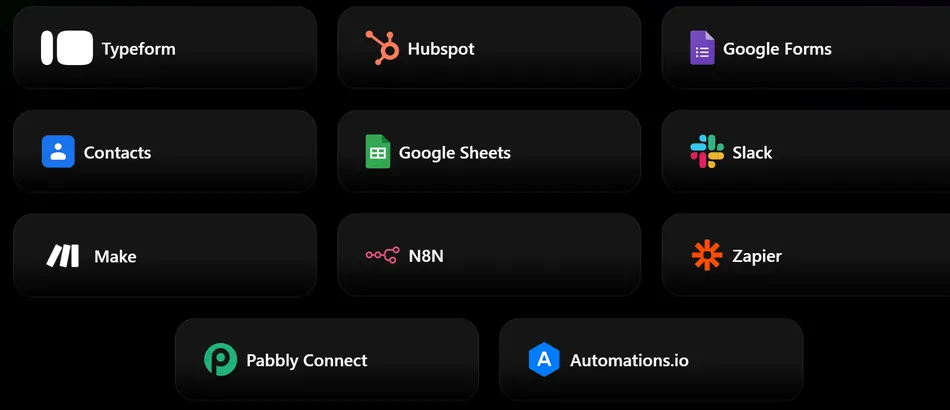
API, webhooks, and integrations with Zapier, Make, and Pabbly Connect are available on all plans. Teams that pipe outreach data into external CRMs, notification systems, or reporting dashboards can build those connections from day one without upgrading.
Source: Manyreach
Manyreach is built for practitioners who prioritize sending infrastructure and cost over a polished interface. Teams that need multichannel outreach, a built-in lead database, or beginner-friendly onboarding will find the platform lacking in those areas.
Manyreach Review: How it Works & Key Features
Deliverability Infrastructure: Manyreach was built around sender rotation and dedicated IP allocation from the start.
Deliverability is where Manyreach’s origins show. The platform was built to send 25,000 emails per day without hitting spam, and the infrastructure reflects that goal.
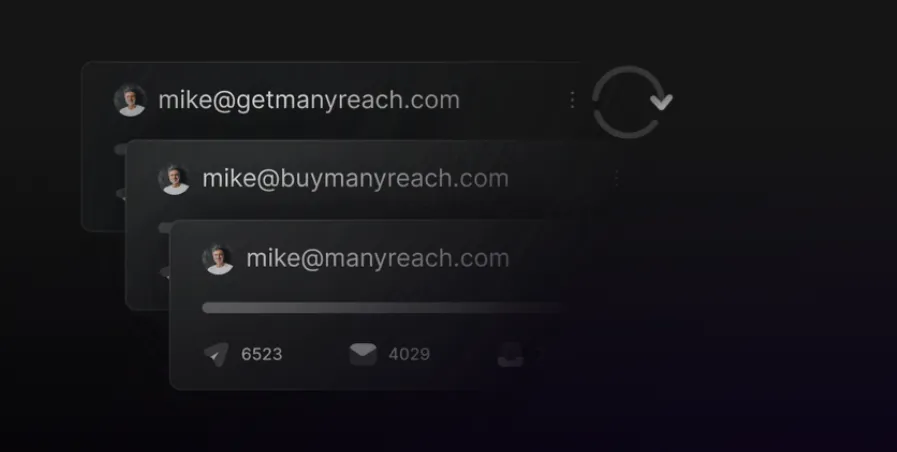
The core mechanism is automatic mailbox rotation: the platform distributes sending volume across all connected email accounts, preventing any single mailbox from exceeding safe daily limits. This pairs with dedicated rotating IP servers allocated per campaign, not drawn from a shared pool. That distinction matters because shared IPs mean another sender’s bad behavior can damage your reputation.
Source: Manyreach
Beyond rotation, the platform adds several anti-spam mechanisms: configurable random delays between sends to mimic human sending patterns, spintax and Liquid Syntax for generating unique content variations that avoid pattern-matching by spam filters, timezone-aware scheduling that delivers messages during the prospect’s business hours, and Bounce Shield to protect sender reputation from hard bounces.
The built-in warmup system, Manywarm, runs in the background, simulating human email behavior with random delays, IP rotation, and automatic volume increases. On the standard plan, warmup emails consume credits at 1 credit per 10 warmup emails. The optional Power Mode add-on makes warmup unlimited and free.
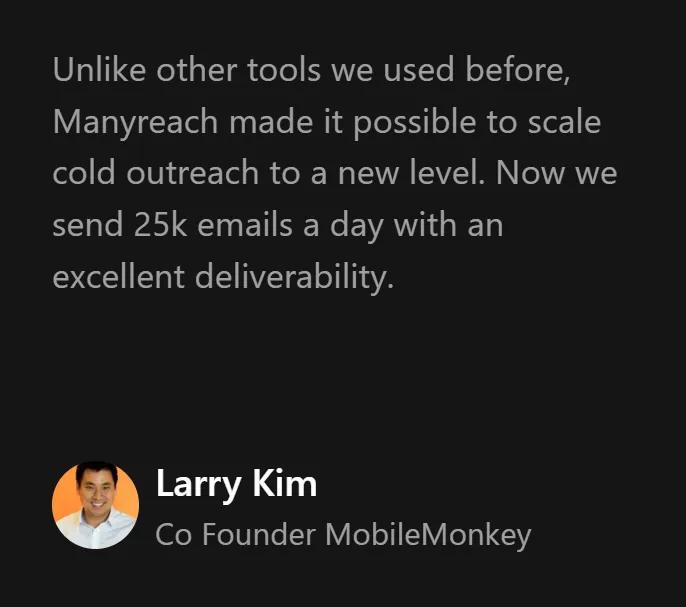
Larry Kim, co-founder of MobileMonkey, reports sending 25,000 emails per day with strong deliverability on the platform. Anze Miklavec, founder of Goat Story, credits Manyreach’s sender rotation (introduced in 2019) with making “a revolution in outreach performance.”
Source: Manyreach
Unified Inbox (Unibox): All replies from every mailbox, domain, and campaign in one view.
Running campaigns across dozens or hundreds of sending accounts creates a reply management problem: without a central inbox, teams either log into each account individually or build fragile forwarding rules. Unibox consolidates all replies into a single view, regardless of which sending address or email provider received them. It supports Google, Outlook, Yahoo, and any other ESP.
More useful is the AI classification system. When a reply arrives, Manyreach automatically tags it as Interested, Meeting Booked, Out of Office, Not Interested, Unsubscribed, or Maybe Later. This removes the manual triage that slows high-volume operations, where real leads get buried under auto-replies and unsubscribe notices. Classification is included on all plans.
Each conversation includes an Activity Feed showing opens, clicks, prior replies, and campaign history, so whoever handles a reply has full context without switching screens. Teams can leave internal notes on conversations and view attachments inside the inbox.

Source: Manyreach
On speed: Manyreach claims standard users see new replies within 1-2 minutes, and Power add-on users within 10-30 seconds, compared to a claimed 10-15 minute lag on competing tools.
CRM & Conditional Follow-Ups: Prospect tracking with behavior-driven sequences built for cold email.
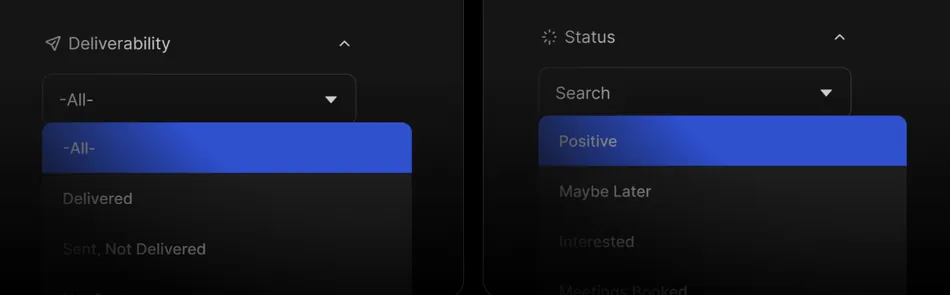
Manyreach includes a native CRM on all plans, including free. It works as a filterable prospect database inside the platform, where every contact is tracked by campaign membership, tags, pipeline stage, deliverability status (Delivered, Not Delivered, or Not Sent), and engagement signals.
Source: Manyreach
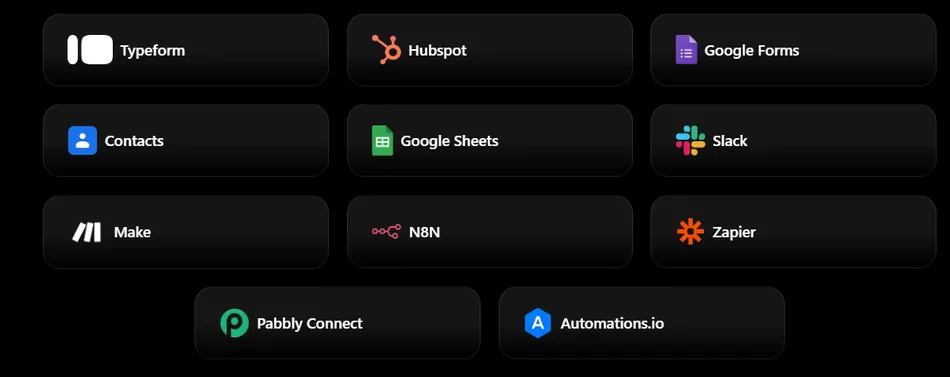
Prospects move through named stages: Interested, Maybe Later, Meeting Booked, Won, and Lost. The CRM connects to external tools through native integrations with HubSpot, Salesforce, Google Sheets, Zapier, Make, N8N, Slack, and others.
Source: Manyreach
The Conditional Follow-Ups engine makes the CRM actionable. Rather than sending every prospect the same follow-up on a fixed timer, the system evaluates behavioral signals (opens, clicks, replies, auto-replies) and routes prospects into different paths. AI segmentation categorizes incoming replies and can suppress or redirect follow-ups without manual review.
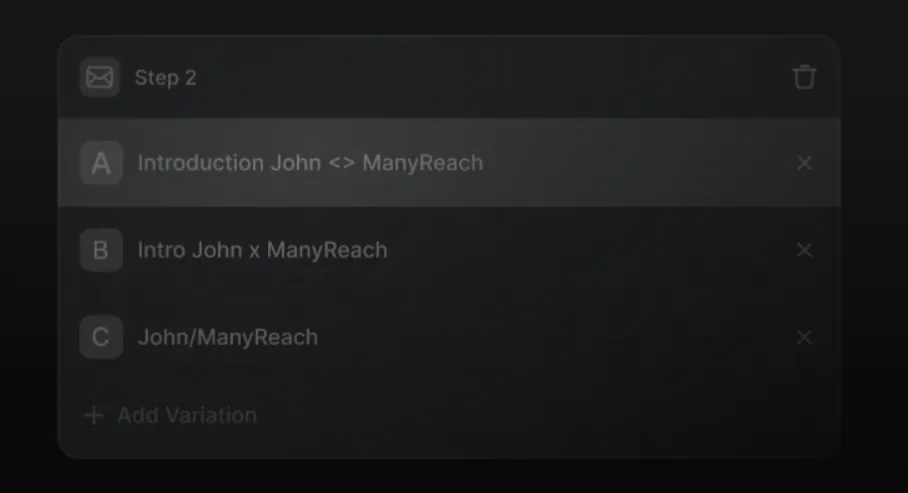
The platform also supports Sub-Sequences and Dynamic Sequences for branching campaign flows, Multi-sequence Campaigns that move a single prospect across multiple flows, and A-Z testing with multiple email variants within a single campaign for faster optimization.
Source: Manyreach
Manyreach positions its CRM against general-purpose tools like HubSpot and Salesforce, describing those as “built for enterprise sales” and its own as faster and simpler for cold outreach. The trade-off is clear: you get a CRM that understands cold email workflows natively, but it lacks the depth of a dedicated sales CRM for complex pipeline management.
Manysenders: Done-for-you email infrastructure setup.
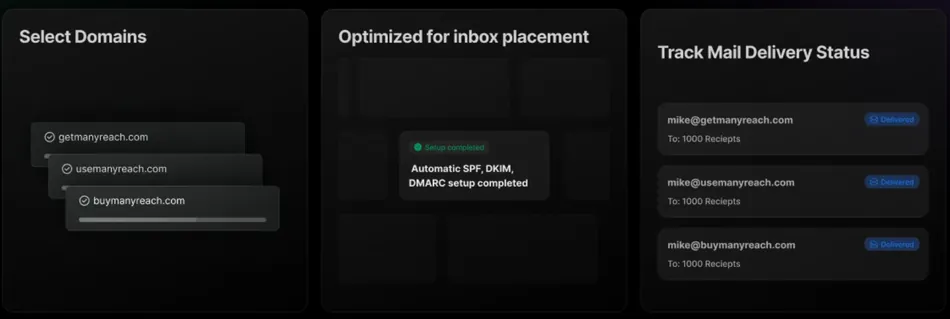
For teams that don’t want to manually buy domains, create mailboxes, and configure DNS records, Manysenders automates the process. Select a domain, choose the number of mailboxes, and the system handles domain purchase, MX record setup, SPF/DKIM/DMARC authentication, US-based IP allocation, custom tracking domain configuration, and automatic warmup activation. Mailboxes are ready for warmup within 24-48 hours.
Source: Manyreach
One notable feature is the Domain Masking Proxy. When Google or Microsoft detect that a secondary domain exists solely for cold outreach, they can flag it. The proxy makes secondary sending domains appear to host a real website rather than redirecting, hiding the cold email infrastructure from email service providers.
Manysenders is priced separately from sending credits: $4/month per Google Workspace mailbox and $15/year per domain. Users can request domain transfer to their own hosting provider at any time.
White-Label & Advanced Power Features: Agency infrastructure without per-seat scaling costs.
The white-label capability lets agencies present Manyreach under their own brand. Clients see the agency’s domain, logo, and identity. They access a scoped Client Dashboard & Inbox that shows only relevant data (positive replies, campaign view access) without exposing billing, sender settings, or full account controls.
Source: Manyreach
The Advanced Power Features module removes the caps that gate enterprise-tier usage on competing platforms: unlimited workspaces, unlimited mailboxes with auto-rotation, unlimited team members, and timezone matching for follow-up scheduling. All included without per-seat charges.
The optional Power Mode add-on unlocks unlimited warmup emails so warmup no longer consumes sending credits, which matters at scale where warmup credit consumption adds up.
Pricing
Manyreach’s pricing model is its most distinctive feature. There is no recurring monthly subscription for the core platform. Instead, credits are purchased in one-time blocks, and 1 credit equals 1 campaign email sent.
Pay-As-You-Go Credit Packs:
| Package | Price | Credits | Cost Per Email |
|---|---|---|---|
| Free | $0 | 250 | — |
| Starter | $99 | 10,000 | ~$0.01 |
| Growth | $199 | 100,000 | ~$0.002 |
| Scale | $299 (promo, normally $399) | 300,000 | ~$0.001 |
| Agency | $699 | 600,000 | ~$0.001 |
| Power | $999 | 1,000,000 | $0.001 |
Every credit purchase unlocks the full feature set: unlimited mailboxes, contacts, team members, workspaces, CRM, API, webhooks, A/Z testing, unified inbox, Manywarm warmup, and all integrations. There are no feature tiers.
On the standard plan, warmup emails consume credits at 1 credit per 10 warmup emails. Factor this into your cost calculation if you are warming up many accounts at once.
Lifetime Deal Option:
Manyreach also offers a lifetime deal with a one-time payment that unlocks monthly credit allowances:
| Plan | One-Time Price | Monthly Credits |
|---|---|---|
| Birthday 10K | $249 | 10,000/month |
| Birthday 100K | $399 | 100,000/month |
| Birthday 300K | $899 | 300,000/month |
All lifetime plans include unlimited senders, active leads, campaigns, warmup, all current features, and all future updates, plus a 14-day money-back guarantee. For lifetime plan holders, credits reset monthly and unused credits swap with the new month’s allocation.
Additional Costs to Factor In:
Manysenders (done-for-you infrastructure): $4/month per mailbox, $15/year per domain
Power Mode add-on: Unlocks unlimited warmup and advanced sequences; priced as an additional monthly fee, though the exact amount is not publicly listed
Client Mode add-on: Referenced alongside Power Mode; pricing not publicly disclosed
The free plan includes 250 credits with no credit card required and no feature downgrades, making it a real trial rather than a restricted demo.
Limitations & Considerations
Manyreach’s strengths in pricing flexibility and sending infrastructure come with trade-offs worth understanding before you commit.
The interface needs work.
G2 reviewers note the user interface could be improved, and separate feedback flags campaign management UI/UX as needing significant improvement. The platform’s strength is its infrastructure (volume, deliverability, pricing), not its visual design. Teams accustomed to the polish of Instantly or Lemlist will notice the difference.
Email only, no multichannel.
Manyreach is a cold email platform. There is no LinkedIn outreach, no SMS, no phone dialer, and no multichannel sequencing. If your prospects respond better to a mix of channels, you will need separate tools.
No built-in lead database.
Unlike Instantly (which offers a Lead Finder) or Apollo (which bundles a contact database), Manyreach requires you to bring your own prospect lists. If you need to source leads and send emails from the same platform, you will need a separate data tool.
Customer support is inconsistent.
G2 reviewers cite delays and insufficient technical knowledge when resolving issues. For a small bootstrapped team this is understandable, but it is a real operational risk for agencies managing client campaigns where downtime costs revenue. Response time SLAs are not published.
Occasional mailbox disconnection issues.
Some users report email account disconnections as a recurring pain point, though they note reconnection only takes a few clicks. For high-volume operations where every hour of downtime matters, this friction adds up.
Very thin public review corpus.
Capterra shows only 1 verified review, and G2 volume is low relative to peers like Instantly and Smartlead. This makes it harder for buyers to assess consistent quality beyond testimonials on Manyreach’s own site.
Unclear credit rollover policy for pay-as-you-go purchases.
The pricing page explains that lifetime plan credits reset monthly, but whether one-time credit pack purchases expire or roll over indefinitely is not clarified in public documentation.
These limitations reflect a small, bootstrapped team that has prioritized infrastructure and pricing innovation over surface polish. For operators who value what Manyreach does well, the trade-offs may be acceptable. For those who need a more complete, polished experience out of the box, they are worth weighing carefully.
Who Should Use Manyreach?
- Agencies with unpredictable sending volume that don’t want to pay for months they don’t use. The credit model eliminates wasted spend during slow periods.
- High-volume senders where per-email cost matters more than interface polish. At $0.001 per email at the top credit tier, the math favors Manyreach over most subscription alternatives.
- Teams that need unlimited mailboxes and team members without per-seat pricing. Agencies scaling from 10 to 100 sending accounts pay the same platform fee.
- Agency operators who want white-label capability to deliver branded outreach as a service.
- Technical users who will connect Manyreach to their existing stack via API, webhooks, or automation platforms from day one.
Who Should Look Elsewhere?
- Teams that need multichannel sequences combining email with LinkedIn, SMS, or calls. Manyreach is email-only.
- Users who need a built-in lead database. You will need a separate tool like Apollo or Clay for prospect sourcing.
- Beginners who value onboarding and UI simplicity. The interface is functional but not intuitive, and documentation is still developing.
- Organizations with strict compliance requirements. No published SOC 2, ISO 27001, GDPR compliance page, or DPA is available.
- Teams where support responsiveness is critical. The small team size limits support capacity, and user feedback confirms inconsistency.
Final Verdict: Is Manyreach Worth It?
For the right operator, yes.
Manyreach solves a real problem. If you are an agency or high-volume sender whose monthly email volume swings unpredictably, the pay-as-you-go credit model eliminates the fixed overhead of a subscription you may not fully use. Unlimited mailboxes, unlimited team members, and every feature at every tier mean you are not penalized for scaling. And the lifetime deal, if you trust the company’s long-term viability, offers significant savings over years of subscription payments.
The caveats are real. The UI trails competitors. Customer support is stretched thin. The platform is email-only with no lead database, so you will need separate tools for prospecting and multichannel outreach. And the small review corpus means you are relying more on testimonials from Manyreach’s own site than on broad, independent user feedback.
If your outreach strategy is email-first, you send at volume, and you value cost efficiency and infrastructure flexibility over a polished experience, Manyreach delivers where it counts. If you need multichannel, easy onboarding, or enterprise support, look at the subscription-based alternatives before committing.
Get started with Manyreach here.
Manyreach FAQ
Is Manyreach free to use?
Manyreach offers a permanent free plan with 250 credits (250 campaign emails) and no credit card required. The free tier includes every feature: unlimited mailboxes, unlimited contacts, CRM, API access, A/Z testing, and unified inbox. There are some unspecified limits on daily/monthly email volume and support tickets on the free plan, but no features are removed.
How does Manyreach’s credit pricing work?
One credit equals one campaign email sent. Credits are purchased in one-time blocks ranging from $99 for 10,000 credits to $999 for 1,000,000 credits. There is no monthly subscription fee. On the standard plan, warmup emails also consume credits at 1 credit per 10 warmup emails. The optional Power Mode add-on makes warmup unlimited and free.
Does Manyreach offer a lifetime deal?
Yes. Lifetime deal plans start at $249 (one-time payment) for 10,000 monthly credits, up to $899 for 300,000 monthly credits. All lifetime plans include every feature and all future updates, with a 14-day money-back guarantee. Unused credits reset monthly and do not carry over.
Does Manyreach support multichannel outreach?
No. Manyreach is a cold email platform only. It does not offer LinkedIn outreach, SMS, phone dialing, or multichannel sequences. Teams needing multichannel capabilities will need to pair Manyreach with a separate tool or consider platforms like Lemlist or Smartlead that offer multichannel natively.
What integrations does Manyreach support?
Manyreach includes API access, webhooks, and native connections to Zapier, Make, and Pabbly Connect on all plans. The CRM integrates with HubSpot, Salesforce, Google Sheets, N8N, Typeform, Google Forms, Slack, and Automations.io. Email accounts can be connected via Google OAuth, Microsoft OAuth, or any SMTP/IMAP provider.
Does Manyreach have a built-in lead database?
No. Manyreach requires users to supply their own prospect lists. Unlike Instantly or Apollo, there is no built-in contact database or lead sourcing tool. You will need a separate data provider for prospecting.
What is the Manyreach white-label feature?
The white-label capability lets agencies present Manyreach under their own brand, including custom domain and logo. Clients access a scoped dashboard showing only relevant data (positive replies, campaign views) without seeing billing or sender settings. Unlimited team members can be added at no extra cost.
What are the best Manyreach alternatives?
The best alternatives depend on your needs. Instantly offers a polished interface with a built-in lead database and unlimited email accounts on subscription plans. Smartlead provides multichannel outreach with agency workspace features. Lemlist is known for personalization and multichannel sequences. Apollo combines a contact database with email sequencing and LinkedIn outreach. Each serves a different use case: Manyreach’s advantage is its pay-as-you-go pricing and unlimited infrastructure at every tier.